Verified progress
Fixes count only once the live tenant passes, so the report never claims work that did not land.
Client reporting
A short, branded pack for the client meeting: what changed, what you fixed and proved, and what to do next.
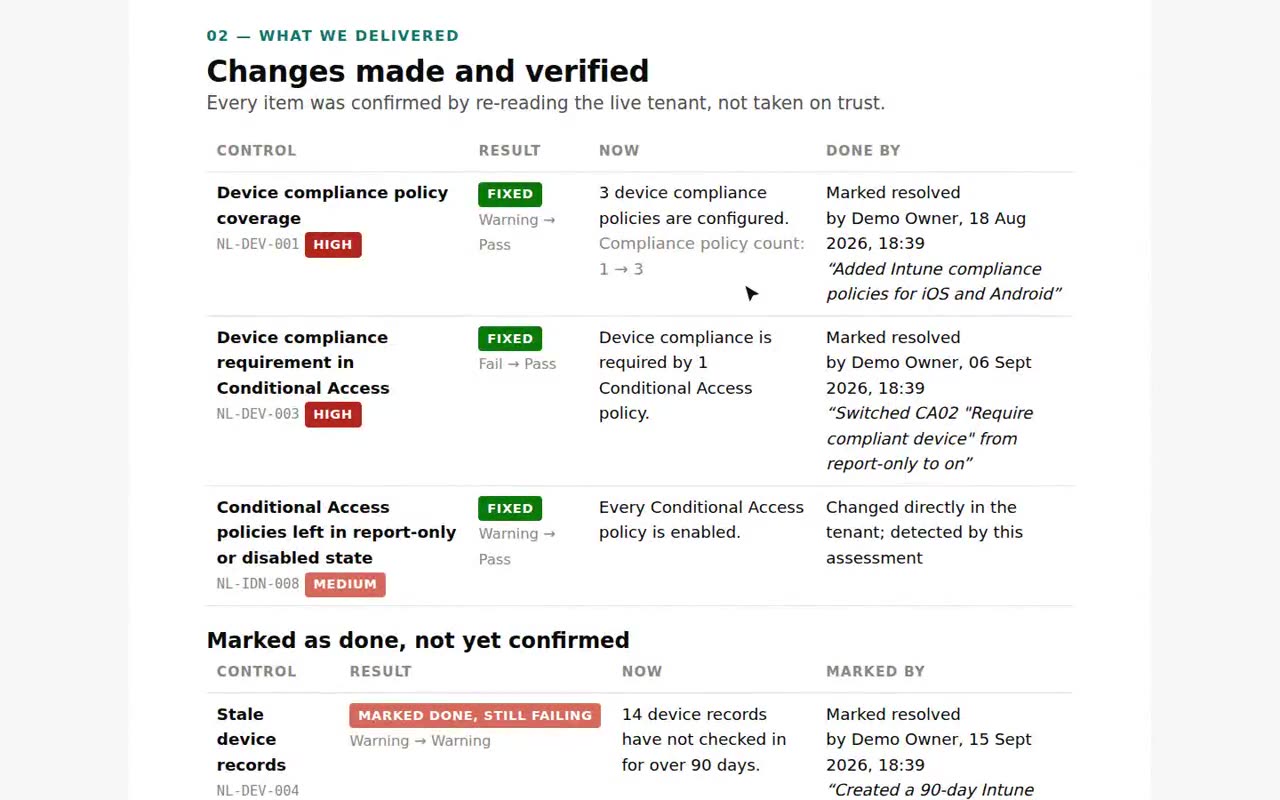
Fixes count only once the live tenant passes, so the report never claims work that did not land.
Your logo, colours and footer on every page.
The hardware refresh budget and the next steps, ready to agree in the meeting.
Email the pack to the client on the first of each month, on Growth and Scale.
Each assessment is compared with the last.
One click, a few minutes to review.
Walk through it, and turn next steps into a quote.
Said plainly, so you know what you are buying.
Microsoft Graph permissions, granted by the client’s admin.
The assessment’s read permissionsFourteen days, one tenant, no card. The figures come from your tenant, not from averages.