Chapter 05 · Cost saving
Paid for, not used. Costed at your prices.
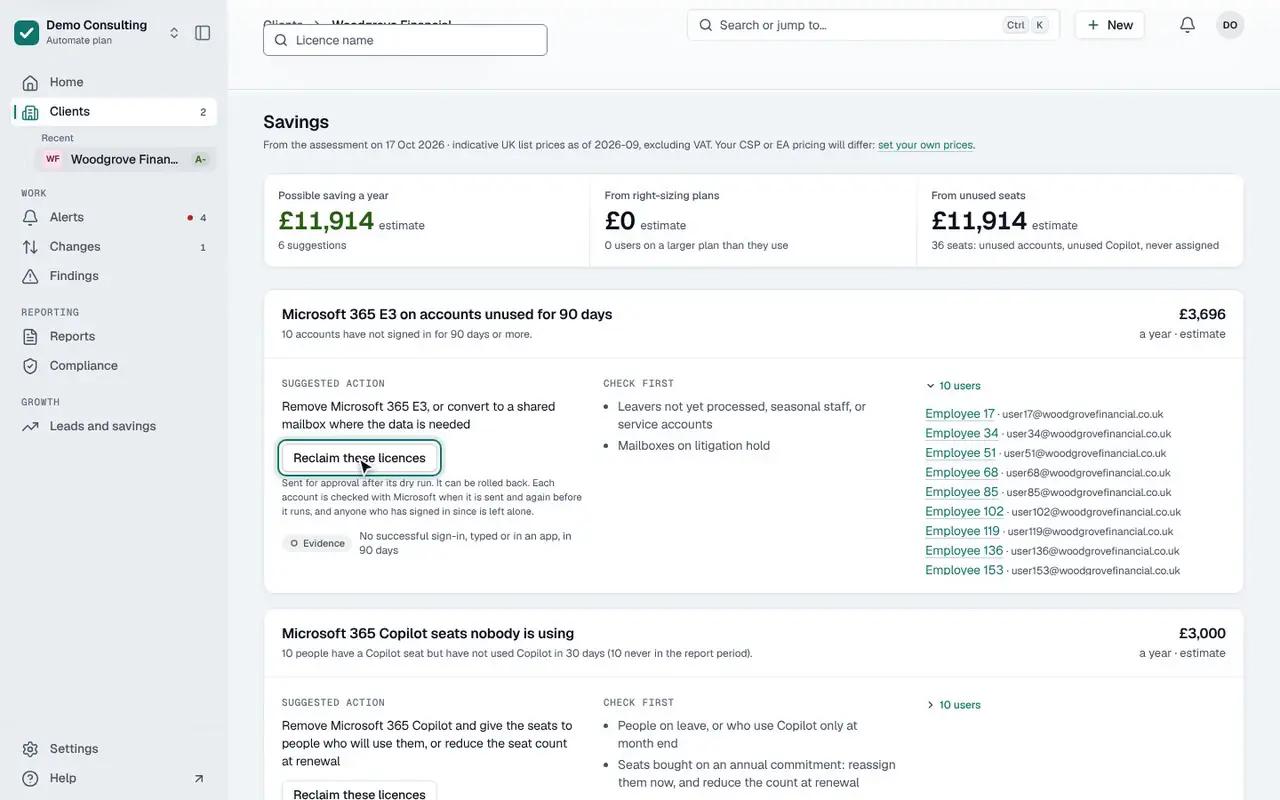
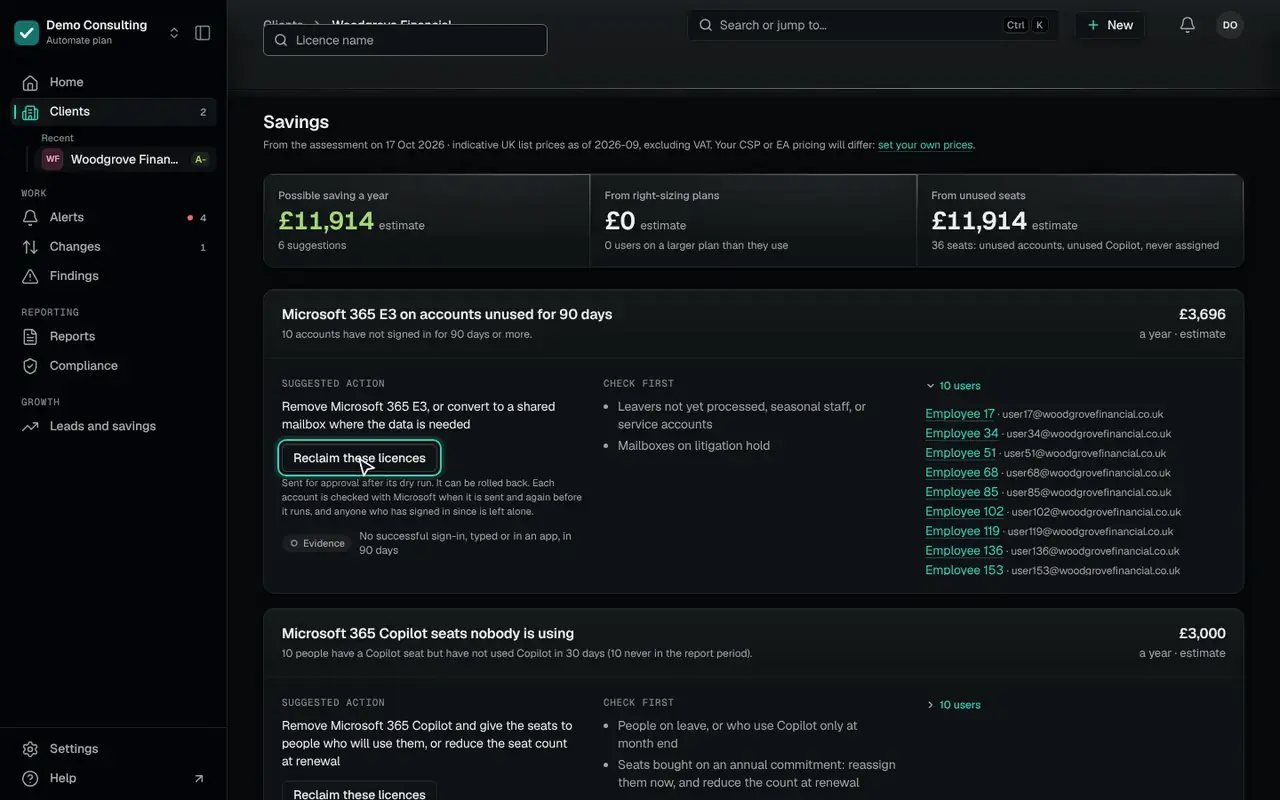
Each client’s latest assessment shows the licences it pays for and does not use: on disabled accounts, on accounts nobody has signed in to for 90 days, and seats bought and given to nobody. Each suggestion comes with its evidence and, where there are any, the accounts behind it.
Price them at what you pay. Reclaim them as an approved change that can be rolled back.
Licence savings and the invoice check on every plan; reclaiming comes with Automate
14 days of daily monitoring and alerts, every finding with its fix guide, and reports on up to 3 tenants, from your first connected tenant. No card. Then choose the plan that fits.
Woodgrove Financial
Licences paid for and not used, at indicative UK list prices (September 2026), per seat a month, excluding VAT
- Microsoft 365 E3 on accounts unused for 90 days10 × £30.80 × 12 = £3,696.00
- Microsoft 365 Copilot seats nobody is using10 × £25.00 × 12 = £3,000.00
- Microsoft 365 E3 on disabled accounts6 × £30.80 × 12 = £2,217.60
- Microsoft 365 Copilot seats bought but not assigned5 × £25.00 × 12 = £1,500.00
- Microsoft 365 Copilot on accounts unused for 90 days3 × £25.00 × 12 = £900.00
- Microsoft 365 Copilot on disabled accounts2 × £25.00 × 12 = £600.00
Possible saving a year · estimate, demo data (Woodgrove Financial)£11,913.60
The worksheet
Your prices, your discount, one receipt.
Type what you pay for a licence, or your discount off list price, and the receipt adds up a year for Woodgrove Financial. Nothing you type is kept or sent anywhere.
- The lines
- The licence savings each client’s Licences page shows, from its latest assessment, with no extra permissions.
- The prices
- Indicative UK list prices (September 2026) until you set your own in Settings › Licence prices: a price per licence, a discount off list price, or a spreadsheet of them.
- Reclaiming
- Reclaim these licences sends one change for approval after its dry run: two approvers, or the workspace’s only Admin. It can be rolled back. For accounts nobody has used: each account is checked with Microsoft when it is sent and again before it runs, and anyone who has signed in since is left alone.
Reclaiming comes with Automate
A price you type for a licence applies to every line for it and wins; the discount comes off the list price of the rest, as the console’s Settings › Licence prices works them out.
Microsoft 365 E3 on accounts unused for 90 days
10 seats10 accounts have not signed in for 90 days or more.
At list priceEvidence, accounts and what to check first
- Evidence
- No successful sign-in, typed or in an app, in 90 days
- Accounts
- Employee 17 · user17@woodgrovefinancial.co.uk
- Employee 34 · user34@woodgrovefinancial.co.uk
- Employee 51 · user51@woodgrovefinancial.co.uk
- Employee 68 · user68@woodgrovefinancial.co.uk
- and 6 more
- Check first
- Leavers not yet processed, seasonal staff, or service accounts
- Mailboxes on litigation hold
Microsoft 365 Copilot seats nobody is using
10 seats10 people have a Microsoft 365 Copilot seat but have not used Microsoft 365 Copilot in 30 days (10 never in the report period).
At list priceEvidence, accounts and what to check first
- Evidence
- No Microsoft 365 Copilot activity in the Microsoft 365 usage report for 30 days (report of 2026-10-18)
- Seat held for more than 30 days
- Accounts
- Tom Becker · tom.becker@woodgrovefinancial.co.uk
- Employee 9 · user9@woodgrovefinancial.co.uk
- Employee 15 · user15@woodgrovefinancial.co.uk
- Employee 20 · user20@woodgrovefinancial.co.uk
- and 6 more
- Suggested action
- Remove Microsoft 365 Copilot and give the seats to people who will use them, or reduce the seat count at renewal
- Check first
- People on leave, or who use Microsoft 365 Copilot only at month end
- Seats bought on an annual commitment: reassign them now, and reduce the count at renewal
Microsoft 365 E3 on disabled accounts
6 seats6 disabled accounts still hold a paid licence.
At list priceEvidence, accounts and what to check first
- Evidence
- Account is disabled in Entra ID
- Accounts
- Employee 29 · user29@woodgrovefinancial.co.uk
- Employee 58 · user58@woodgrovefinancial.co.uk
- Employee 87 · user87@woodgrovefinancial.co.uk
- Employee 116 · user116@woodgrovefinancial.co.uk
- and 2 more
- Check first
- Shared or archived mailboxes that need a licence to keep their data (convert to a shared mailbox instead)
Microsoft 365 Copilot seats bought but not assigned
5 seats5 of 60 Microsoft 365 Copilot seats are paid for but not given to anyone.
At list priceEvidence and what to check first
- Evidence
- 60 seats bought, 55 assigned
- Suggested action
- Give the seats to people who asked for Microsoft 365 Copilot, or reduce the seat count with your reseller
- Check first
- Seats held back for starters or a planned roll-out
- Annual commitments that can only be reduced at renewal
Microsoft 365 Copilot on accounts unused for 90 days
3 seats3 accounts have not signed in for 90 days or more.
At list priceEvidence, accounts and what to check first
- Evidence
- No successful sign-in, typed or in an app, in 90 days
- Accounts
- Employee 17 · user17@woodgrovefinancial.co.uk
- Employee 34 · user34@woodgrovefinancial.co.uk
- Employee 51 · user51@woodgrovefinancial.co.uk
- Check first
- Leavers not yet processed, seasonal staff, or service accounts
- Mailboxes on litigation hold
Microsoft 365 Copilot on disabled accounts
2 seats2 disabled accounts still hold a paid licence.
At list priceEvidence, accounts and what to check first
- Evidence
- Account is disabled in Entra ID
- Accounts
- Employee 29 · user29@woodgrovefinancial.co.uk
- Employee 58 · user58@woodgrovefinancial.co.uk
- Check first
- Shared or archived mailboxes that need a licence to keep their data (convert to a shared mailbox instead)
Woodgrove Financial
Per seat a month, excluding VAT · at indicative UK list prices (September 2026)
- Microsoft 365 E3 on accounts unused for 90 days10 × £30.80 × 12 = £3,696.00
- Microsoft 365 Copilot seats nobody is using10 × £25.00 × 12 = £3,000.00
- Microsoft 365 E3 on disabled accounts6 × £30.80 × 12 = £2,217.60
- Microsoft 365 Copilot seats bought but not assigned5 × £25.00 × 12 = £1,500.00
- Microsoft 365 Copilot on accounts unused for 90 days3 × £25.00 × 12 = £900.00
- Microsoft 365 Copilot on disabled accounts2 × £25.00 × 12 = £600.00
Possible saving a year · estimate, demo data (Woodgrove Financial)£11,913.60
Invoice check
Your invoice, checked against what each client holds.
Import your distributor’s invoice or subscription export as CSV or Excel (Pax8, TD SYNNEX and Giacom and others), or read Partner Center directly on every plan. It sets what you are billed for against what each client tenant holds and uses.
- Your distributor’s file
- Choose its columns once; the next file in the same layout is read the same way.
- Partner Center
- Each client’s active CSP subscriptions, read again each day. A line Partner Center already covers is left out of an imported file, so nothing counts twice.
- Matched once
- Match an invoice’s customer to a client, or a product to a licence, once; it is remembered for the next file.
- Month by month
- Each month’s lines are kept for 24 months, so the check says what changed since the month before.
- What it finds
- Seats billed that the tenant does not have, seats billed that nobody is assigned, paid seats the invoice does not bill on, and trials that will end or convert soon.
Step by step, as the film shows it
01Leads and savings › Invoice check: your invoice against what each client holds. Match a line and the figures work themselves out again.
/growth/invoice-checkDemo data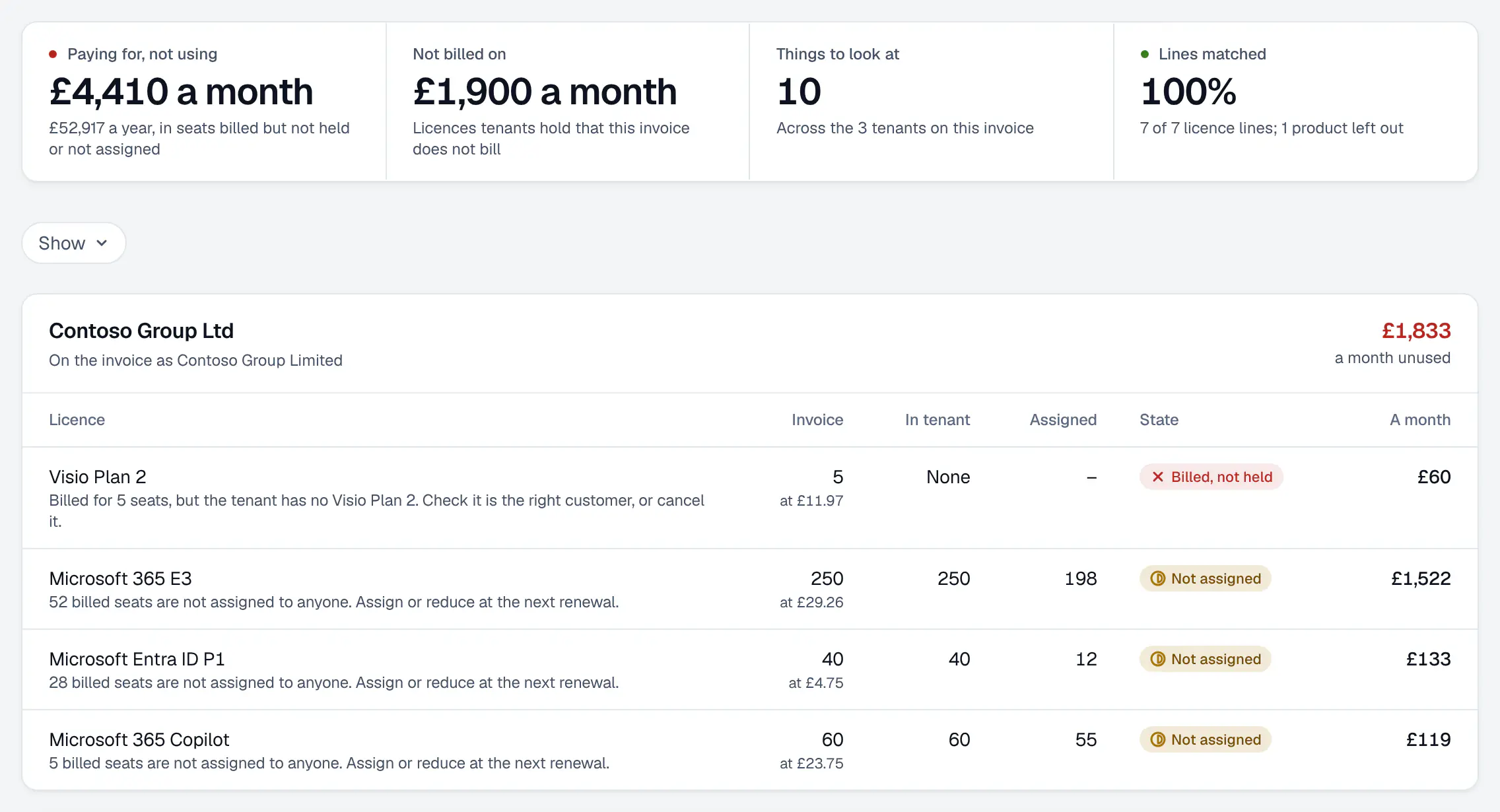
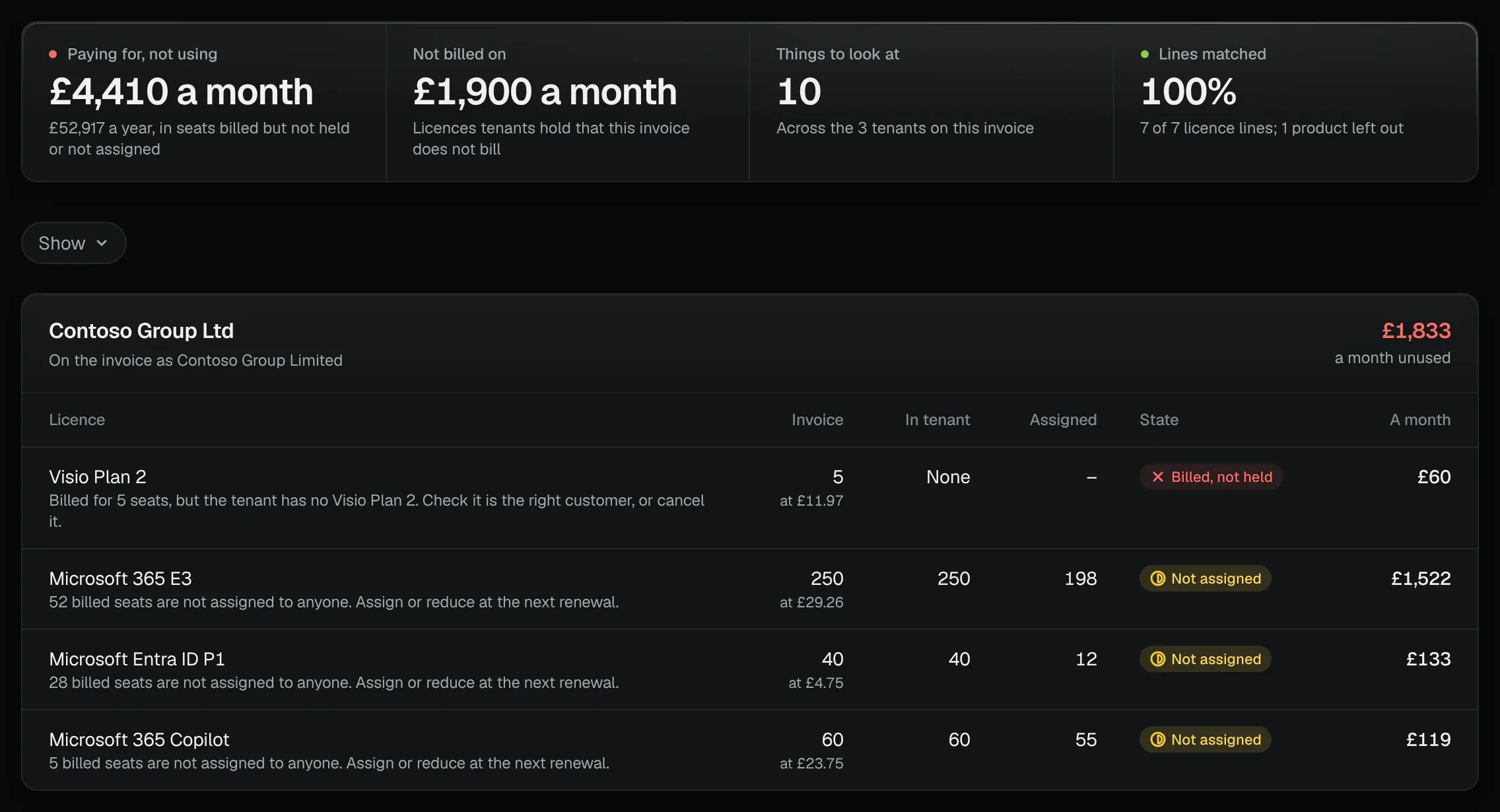
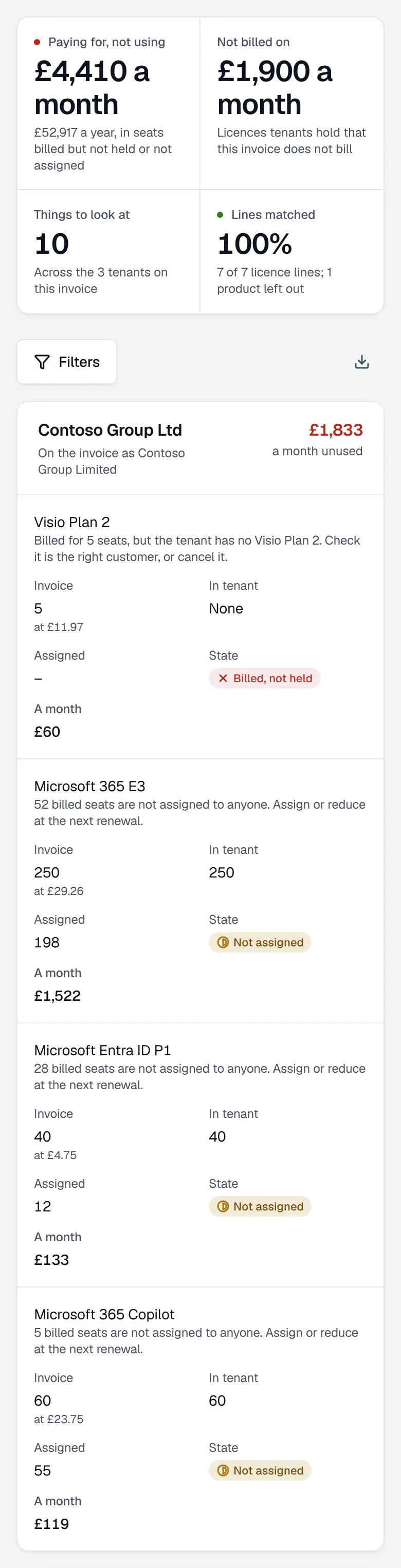
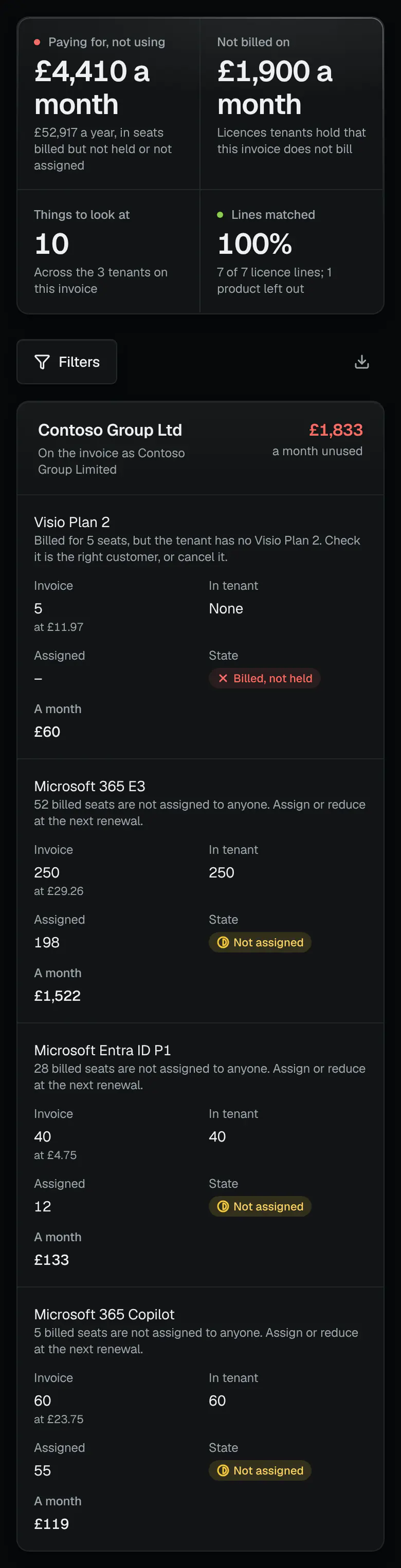
One invoice against what each client holds: three demo tenants. - Paid for and not used, across the invoice
- Every line matched
- Each licence against the tenant
02A client’s licence savings: each suggestion with its cost a year, its evidence, the accounts behind it and Reclaim these licences.
/c/contoso-group-ltd › Licence savingsDemo data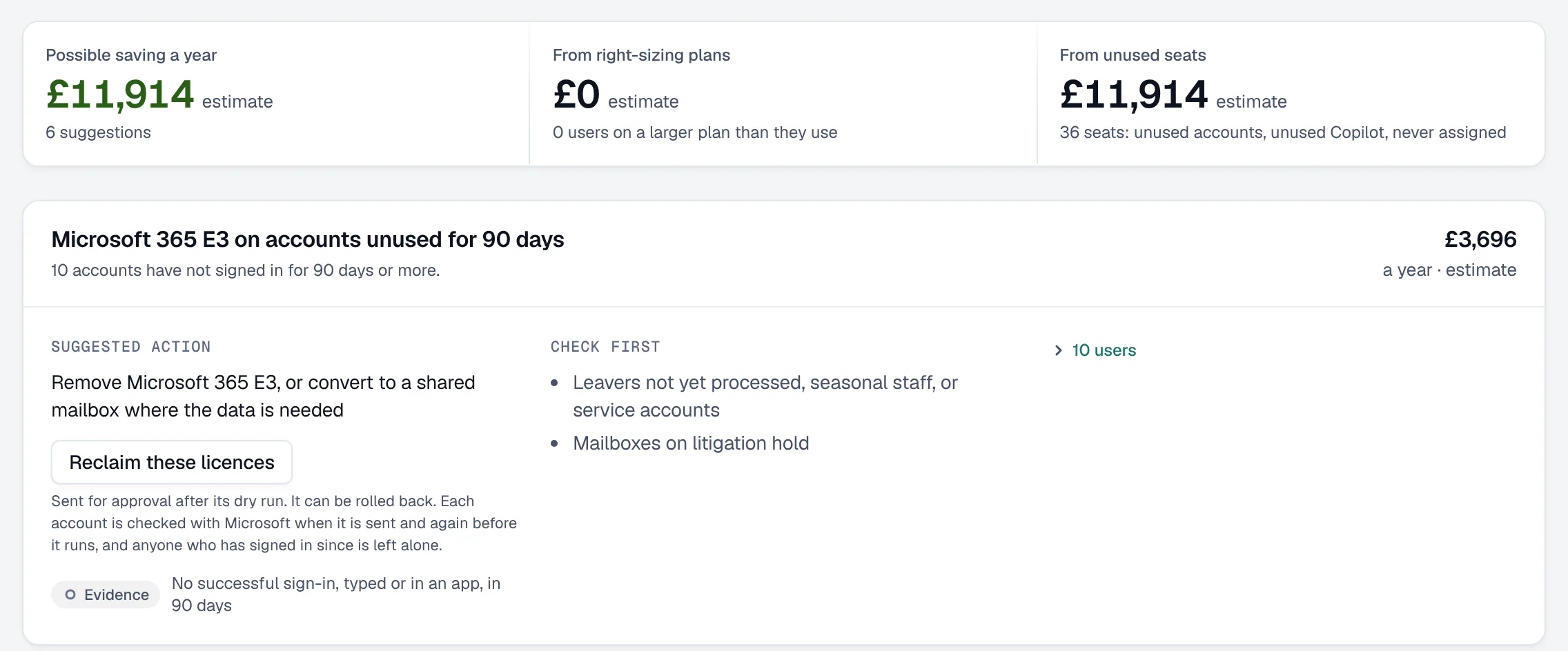
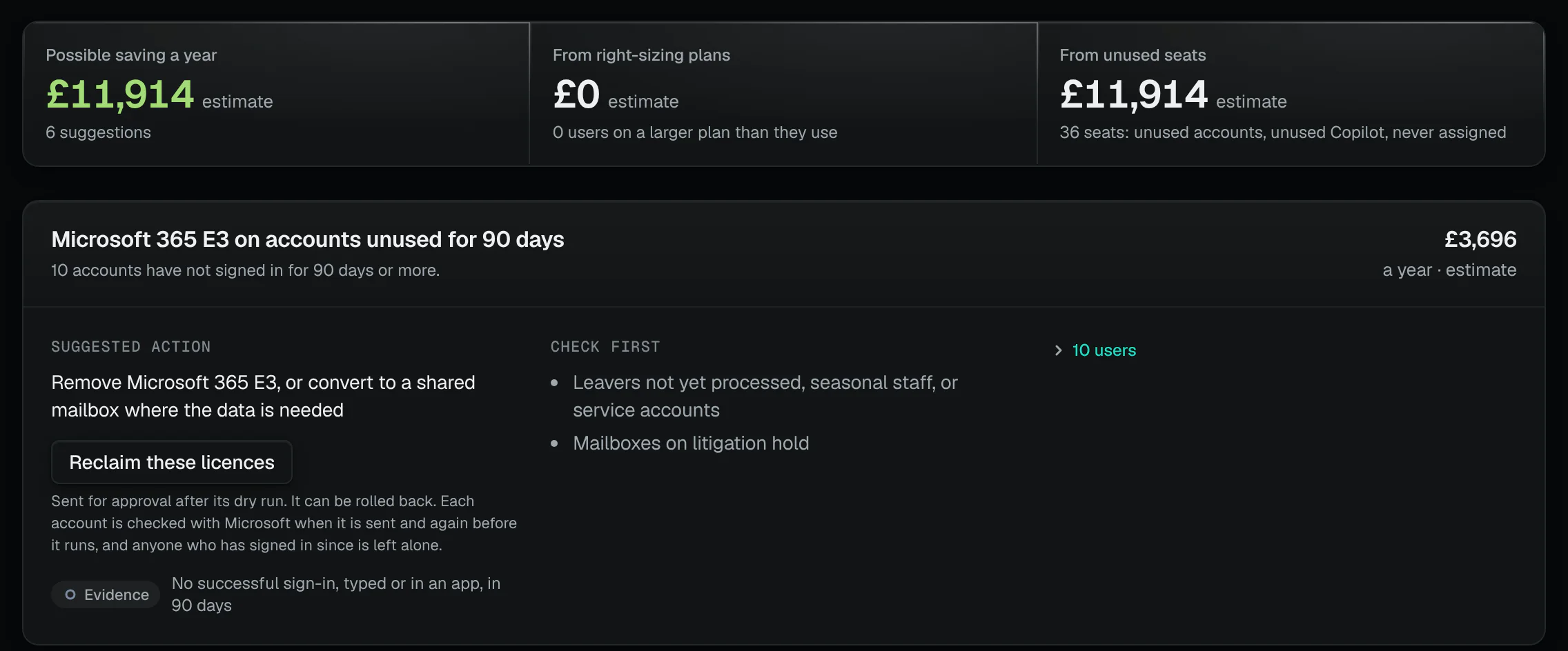
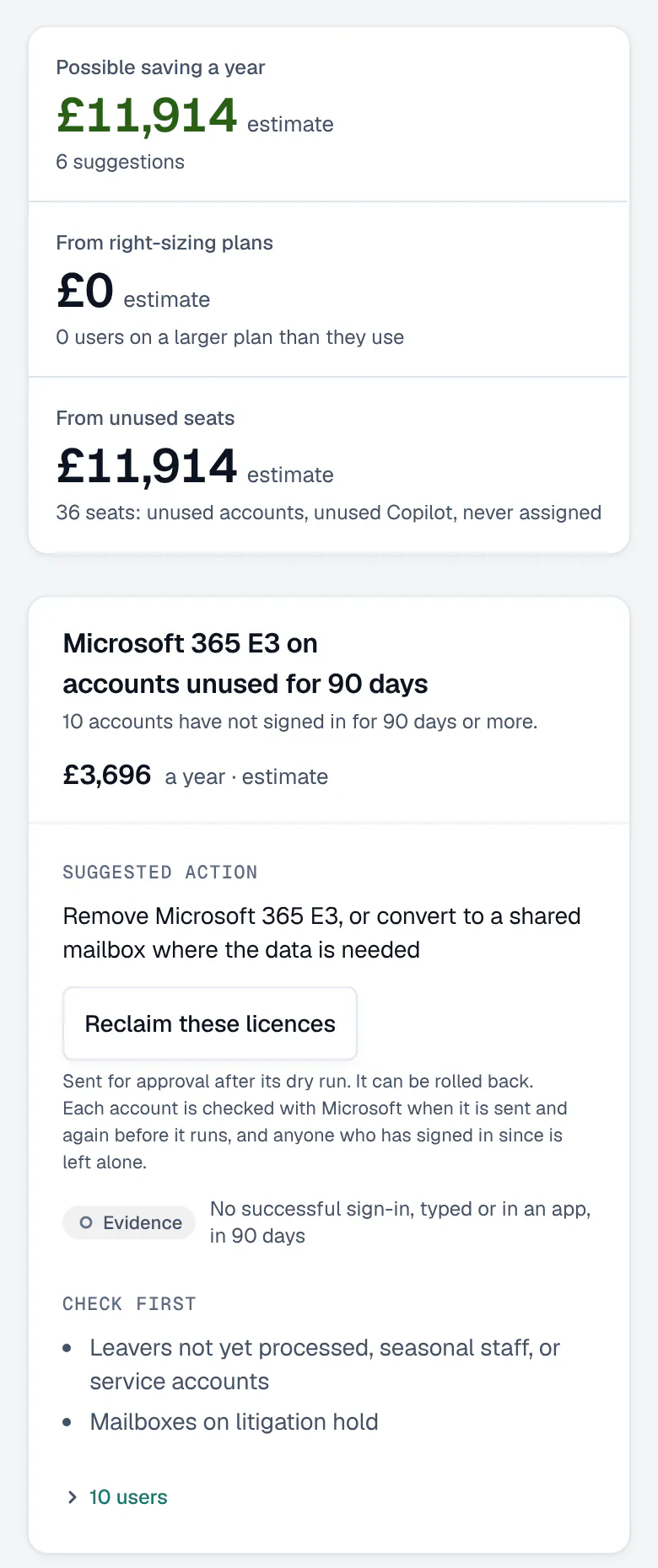
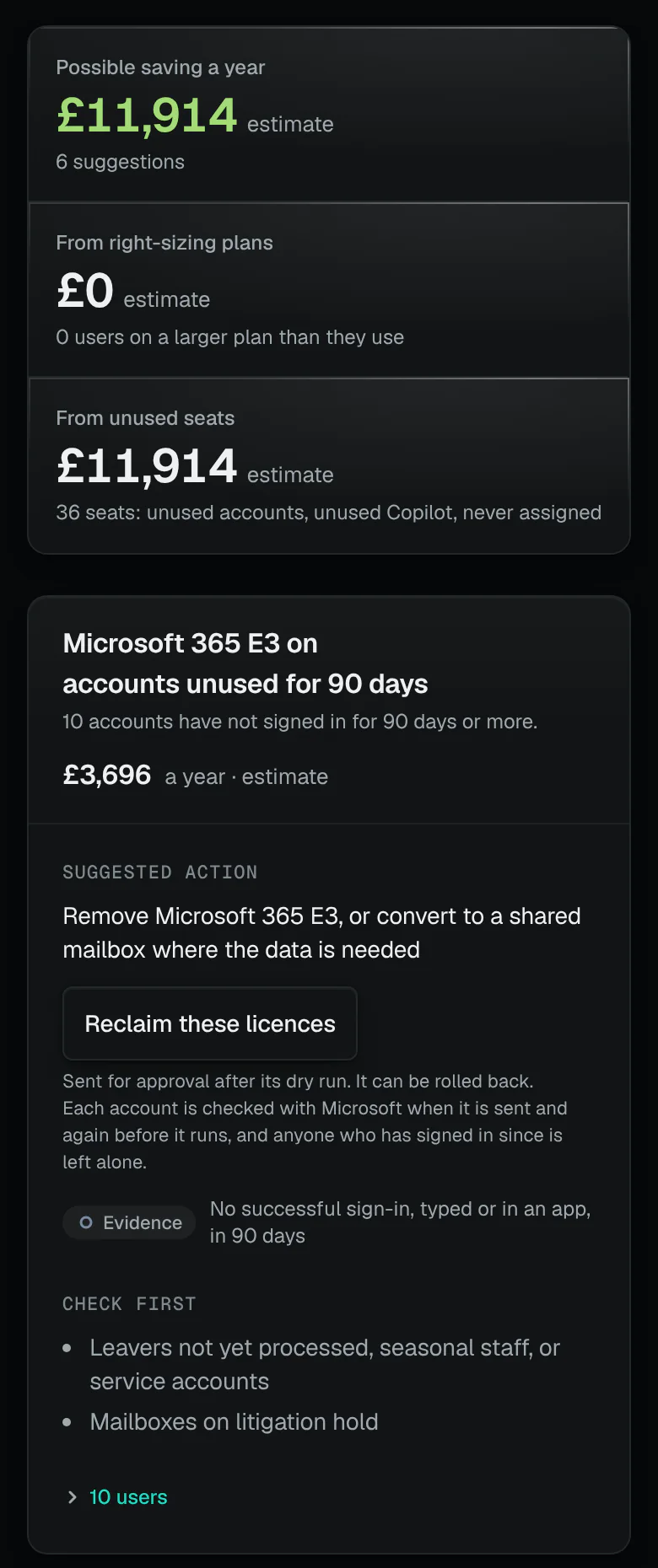
Licences paid for and not used, with the evidence. - The possible saving a year
- Reclaim as an approved change
- The evidence for each suggestion
The savings record
Only savings from changes that ran.
Licences taken back, swapped or cut by changes that ran, each seat at the price on the day, for 12 months; rolled-back changes never count. A licence taken back is counted from the day its change ran, and Microsoft bills the seat until the subscription’s seat count is reduced.
- What counts
- Licences taken back from accounts; seats reduced on a CSP subscription through Partner Center; people moved to a cheaper licence (at the difference in price): each from a change that ran.
- At what price
- Each licence’s price per seat a month at your prices on the day the change ran: your own price, list price less your discount, or list price.
- And the bill
- A licence taken back frees its seat for someone else to use. Microsoft goes on billing the subscription until its seat count is reduced, at renewal or as a seat change through Partner Center; the record does not wait for that.
- For how long
- 12 months from the change that made it. Saved this year adds up the calendar year by your workspace’s clock.
- Never counted
- A change rolled back, even in part. A seat reduction does not count again the seats a recent reclaim of the same licence already freed, so no seat is counted twice.
- Where
- Leads and savings › Licence savings, in the year’s list of savings: each change with its licence, seats and price a seat a month, and a link to the change that made it.
Seats bought and not used
Microsoft 365 Copilot seats nobody uses.
Microsoft 365 Copilot is a licence clients pay for by the seat. A seat counts as unused when the Microsoft 365 usage report shows no use for 30 days and it has been held longer than that; seats bought and given to nobody are listed too.
- A seat given out in the last 30 days is new, never called unused, so a roll-out in progress is left alone.
- It needs the usage report with real names: where a tenant hides people’s names in Microsoft 365 reports, seats cannot be matched to people.
- An account already listed as disabled or unused is not counted again.
Woodgrove FinancialMicrosoft 365 Copilot, from the latest assessment
Microsoft 365 Copilot seats nobody is using
10 seats · £3,000.00 a year10 people have a Microsoft 365 Copilot seat but have not used Microsoft 365 Copilot in 30 days (10 never in the report period).
- Evidence No Microsoft 365 Copilot activity in the Microsoft 365 usage report for 30 days (report of 2026-10-18)
- Evidence Seat held for more than 30 days
Remove Microsoft 365 Copilot and give the seats to people who will use them, or reduce the seat count at renewal
Microsoft 365 Copilot seats bought but not assigned
5 seats · £1,500.00 a year5 of 60 Microsoft 365 Copilot seats are paid for but not given to anyone.
- Evidence 60 seats bought, 55 assigned
Give the seats to people who asked for Microsoft 365 Copilot, or reduce the seat count with your reseller
Microsoft 365 Copilot on accounts unused for 90 days
3 seats · £900.00 a year3 accounts have not signed in for 90 days or more.
- Evidence No successful sign-in, typed or in an app, in 90 days
Microsoft 365 Copilot on disabled accounts
2 seats · £600.00 a year2 disabled accounts still hold a paid licence.
- Evidence Account is disabled in Entra ID
What it can’t do
- No guaranteed or average savings: each figure is an estimate for one client, from its latest assessment.
- Hours saved are your own estimate: the time figures on the pricing page start from our assumptions, and you change them to yours. What it could save you
- Prices are indicative UK list prices (September 2026), excluding VAT, unless you set your own.
- Reclaiming frees seats for others to use; the subscription is billed until its seat count is reduced.
- It can’t see Teams Phone, Power BI, Purview or Defender for Endpoint use, so before a downgrade it lists them to check, never assumes them unused.
Where each part is in the console
- Licence savings, every client
/growth/licence-savings- One client’s licences
/c/…/manage/licences- Invoice check
/growth/invoice-check- Your licence prices
/settings/checks/licence-prices
How we count
- Months a saving is counted for, from the change that made it
- 12The savings record’s own setting
- Days without a sign-in before a paid licence counts as unused
- 90The product’s own setting for unused licences
- Days without use before a Microsoft 365 Copilot seat counts as unused
- 30The product’s own setting for unused seats
- Indicative UK licence prices, as of
- September 2026The date of the product’s indicative price list
ConfigCheckup
Connect one client. See what it pays for and doesn’t use.
Read-only towards your tenants, except the changes a person approves. Reclaiming is an approved change that can be rolled back.
14 days of daily monitoring and alerts, every finding with its fix guide, and reports on up to 3 tenants, from your first connected tenant. No card. Then choose the plan that fits.