Solutions
Everything an MSP needs from Microsoft 365, one job at a time.
Assess, save, protect, prove and report, for every client, from one read-only connection to each tenant. Pick the job you need done, or use them all.
01 /Licence audit
A Microsoft 365 licence audit for every client, in minutes.
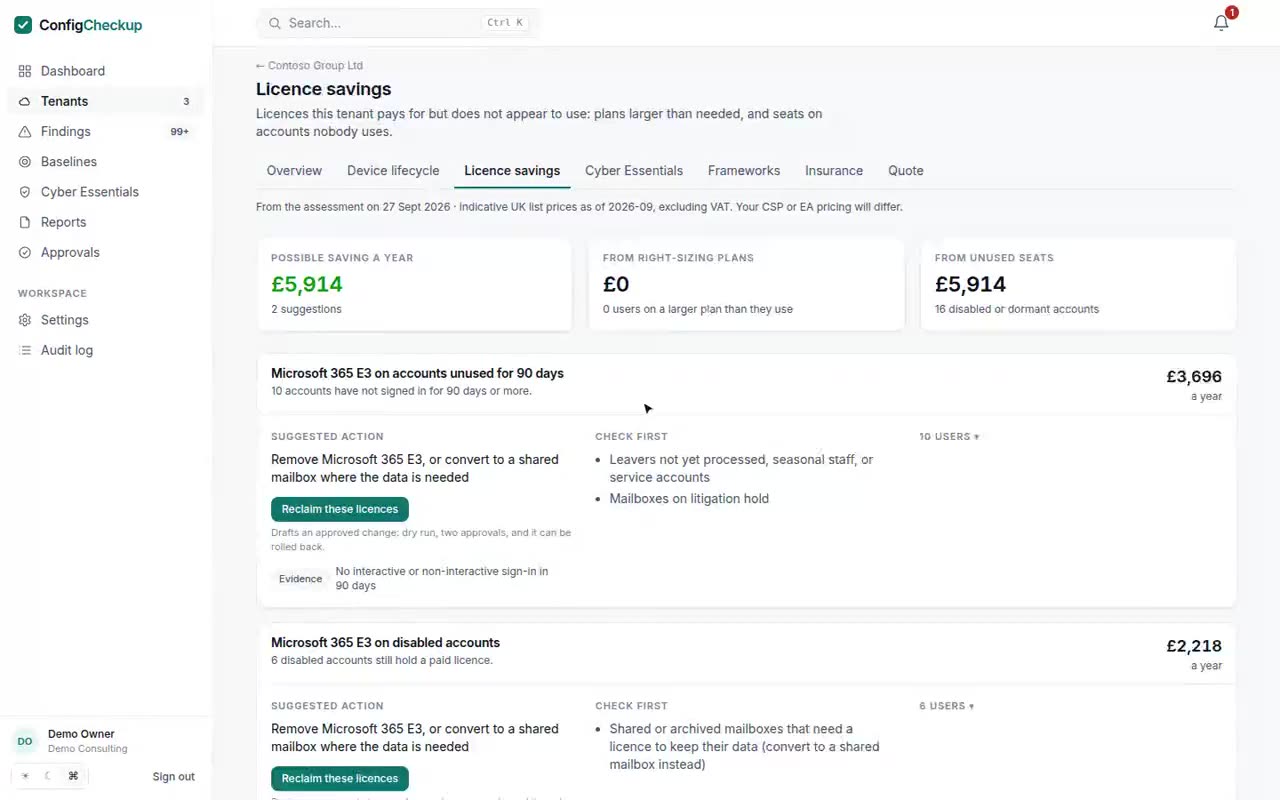
Find the paid seats nobody uses, costed per year with the evidence behind each, and reclaim them through an approved change.
- Seats on accounts nobody uses. Paid licences on disabled accounts, and on accounts with no sign-in for 90 days, listed by licence with every account named.
- Copilot seats nobody opens. Seats with no Copilot use in 30 days, and seats bought but never assigned. People given a seat in the last month are never counted.
- Plans bigger than needed. E5 users where no E5-only feature is in use, or Business Premium with its security features switched off, with what to check first.
02 /Copilot
Is it safe to switch on Copilot, and is anyone using it?
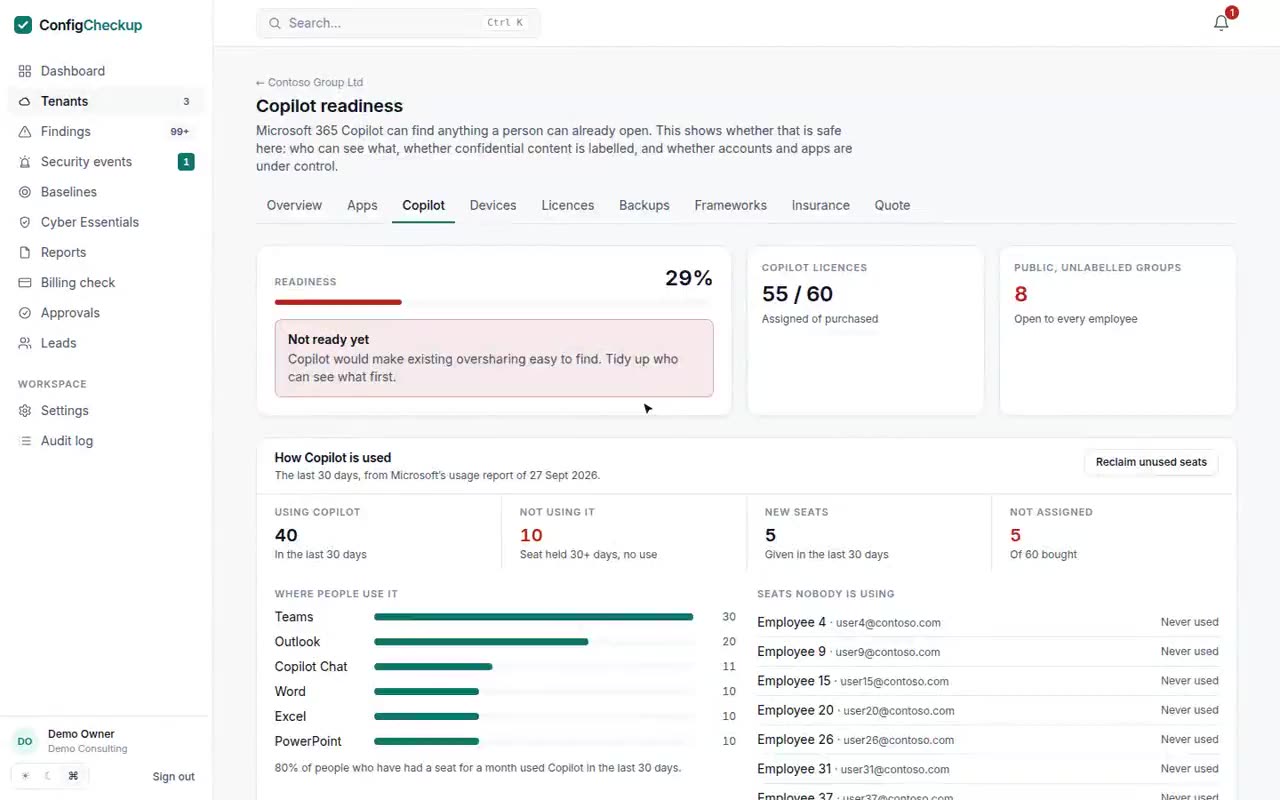
Copilot can find anything a person can already open. Check who can see what before rollout, then see who uses it and which seats sit idle.
- Readiness, area by area. Who can see what, labels and data protection, the accounts and apps Copilot acts for, devices and audit, each ready, partly ready or not.
- Where to start. The largest public teams and groups with no sensitivity label: files every employee, and so Copilot for every employee, can read.
- Who uses it, and where. From Microsoft’s own usage report: people using Copilot in the last 30 days, and in which apps.
03 /Settings backup
Back up Conditional Access in every tenant, with a way back.
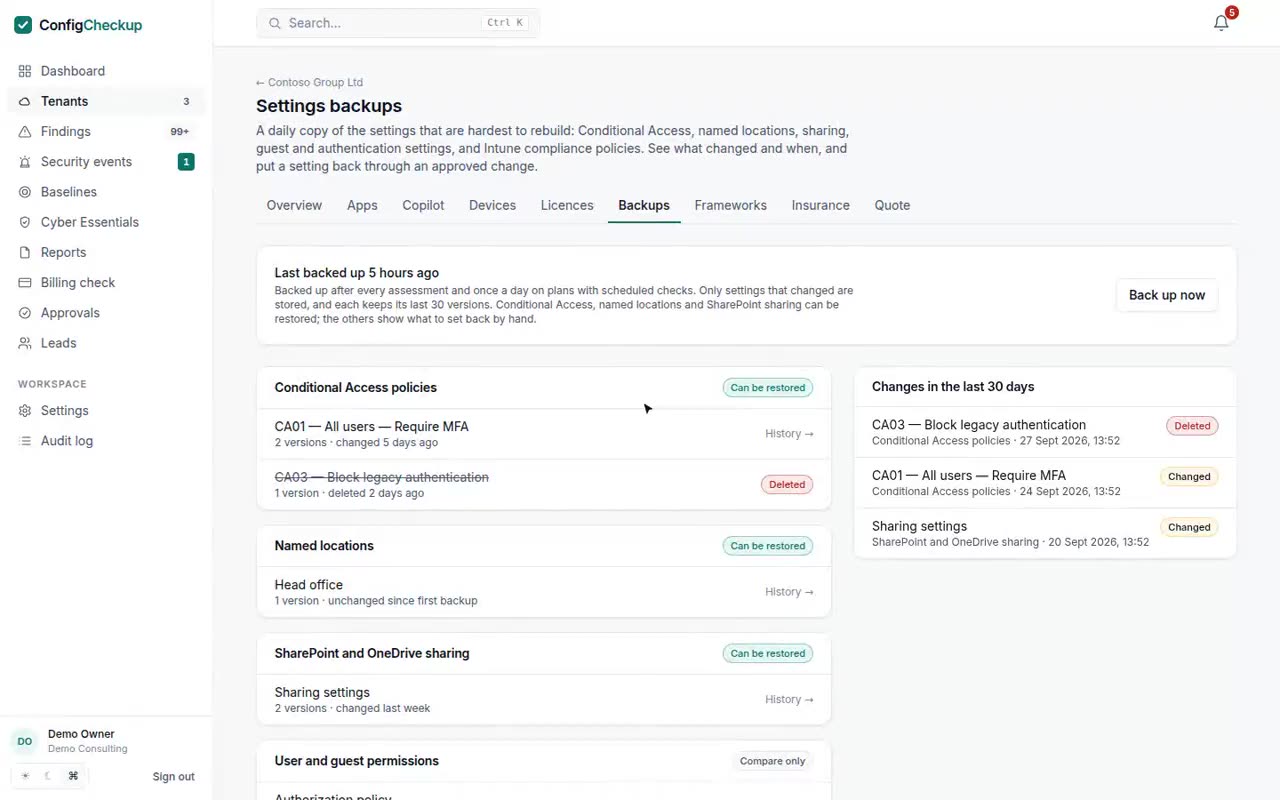
A daily copy of the settings that are hardest to rebuild. See exactly what changed and when, and put a policy back through an approved change.
- What is backed up. Conditional Access policies, named locations, SharePoint and OneDrive sharing, user and guest permissions, authentication methods, security defaults and Intune compliance policies.
- Every change, field by field. An account excluded from MFA, a policy switched to report-only, sharing opened to anyone: shown with the old and new value and the date.
- Deleted policies come back. A deleted Conditional Access policy is created again from its last version.
Daily backups and restores on Growth and Scale.
04 /Billing check
Reconcile your Microsoft 365 invoice against every tenant.
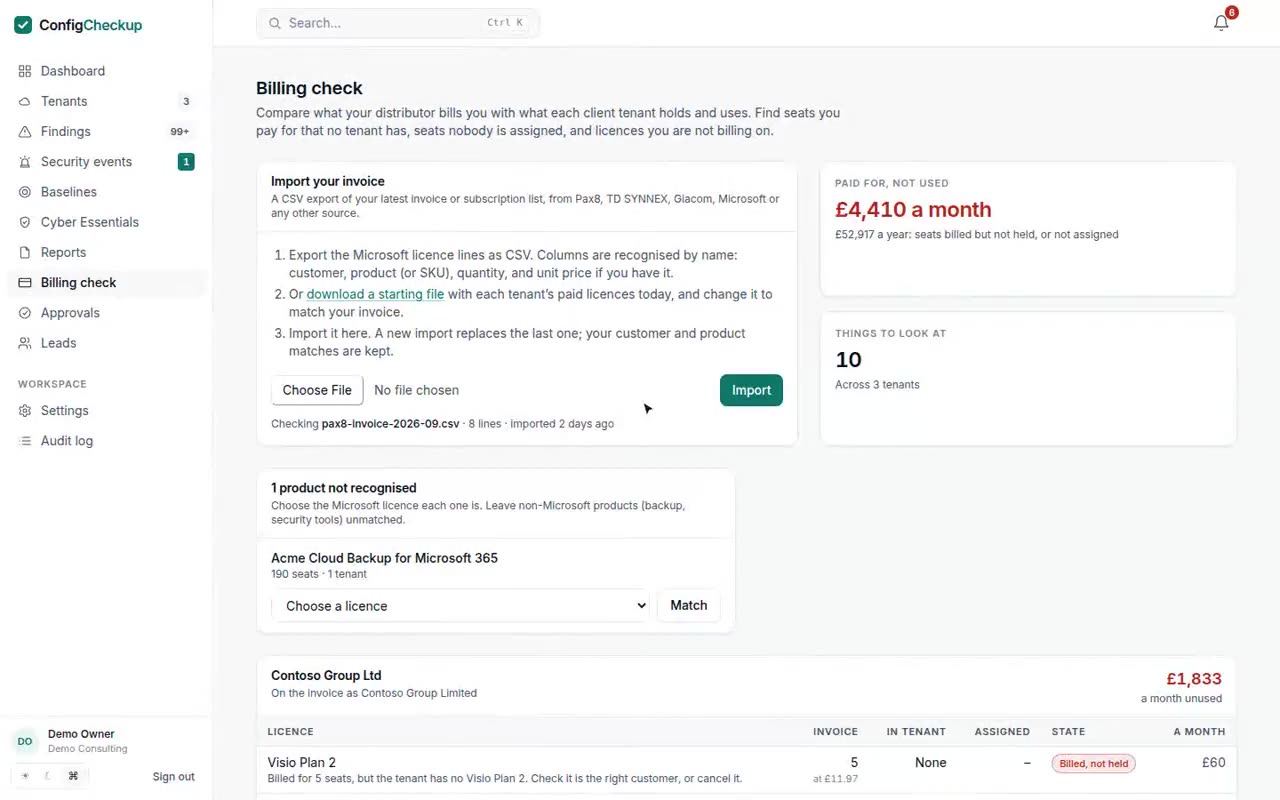
Import your Pax8, TD SYNNEX, Giacom or Microsoft invoice as CSV and see, tenant by tenant, where billing and reality disagree.
- Billed, not held. More seats on the invoice than the tenant has: a reduction or cancellation that never reached your distributor.
- Billed, not assigned. Seats bought and paid for that nobody has been given.
- Not on the invoice. Paid seats a tenant holds that your invoice does not include: bought elsewhere, or not billed on.
05 /Cyber Essentials
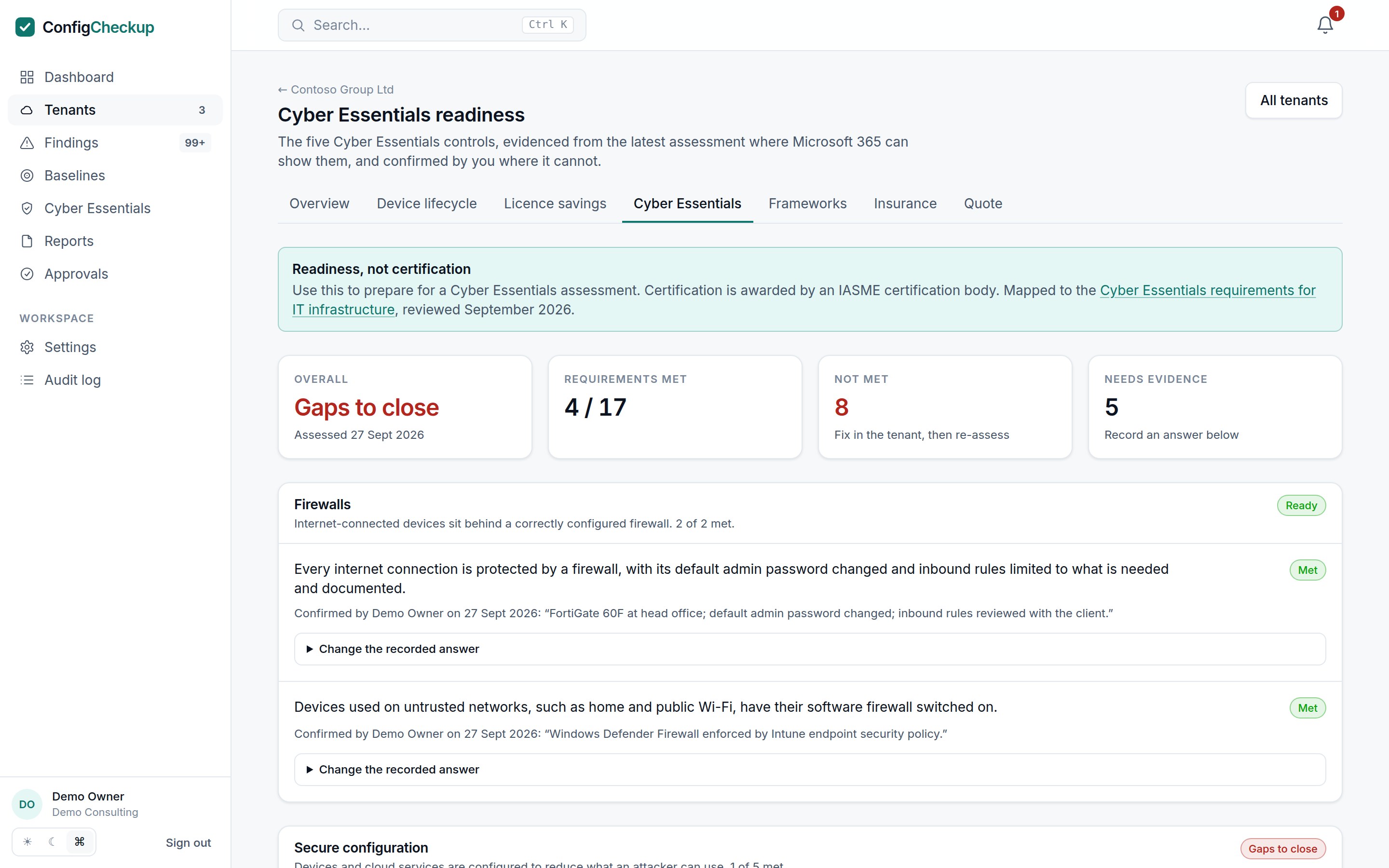
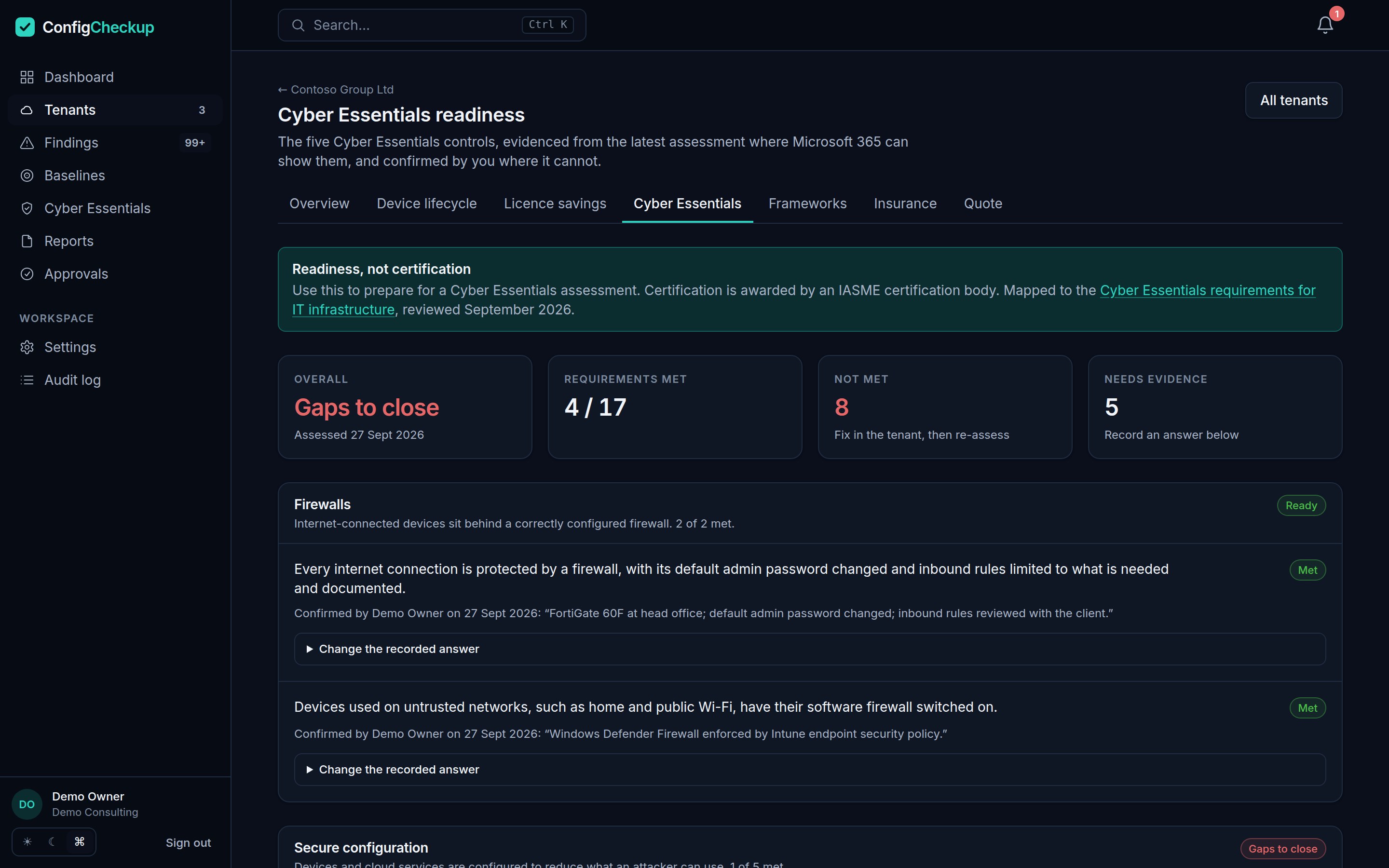
Cyber Essentials evidence from Microsoft 365, for every client.
See which Cyber Essentials requirements each tenant already meets, the evidence for each, and what to fix before the assessment.
- The five controls. Firewalls, secure configuration, user access control, malware protection and security update management, requirement by requirement.
- Evidence, not opinion. Each requirement Microsoft 365 can show is answered from the tenant, with the setting behind it.
- Your answers too. Record answers for what Microsoft 365 cannot show, such as boundary firewalls, so the picture is complete.
06 /Client reporting
The quarterly client review, written for you.
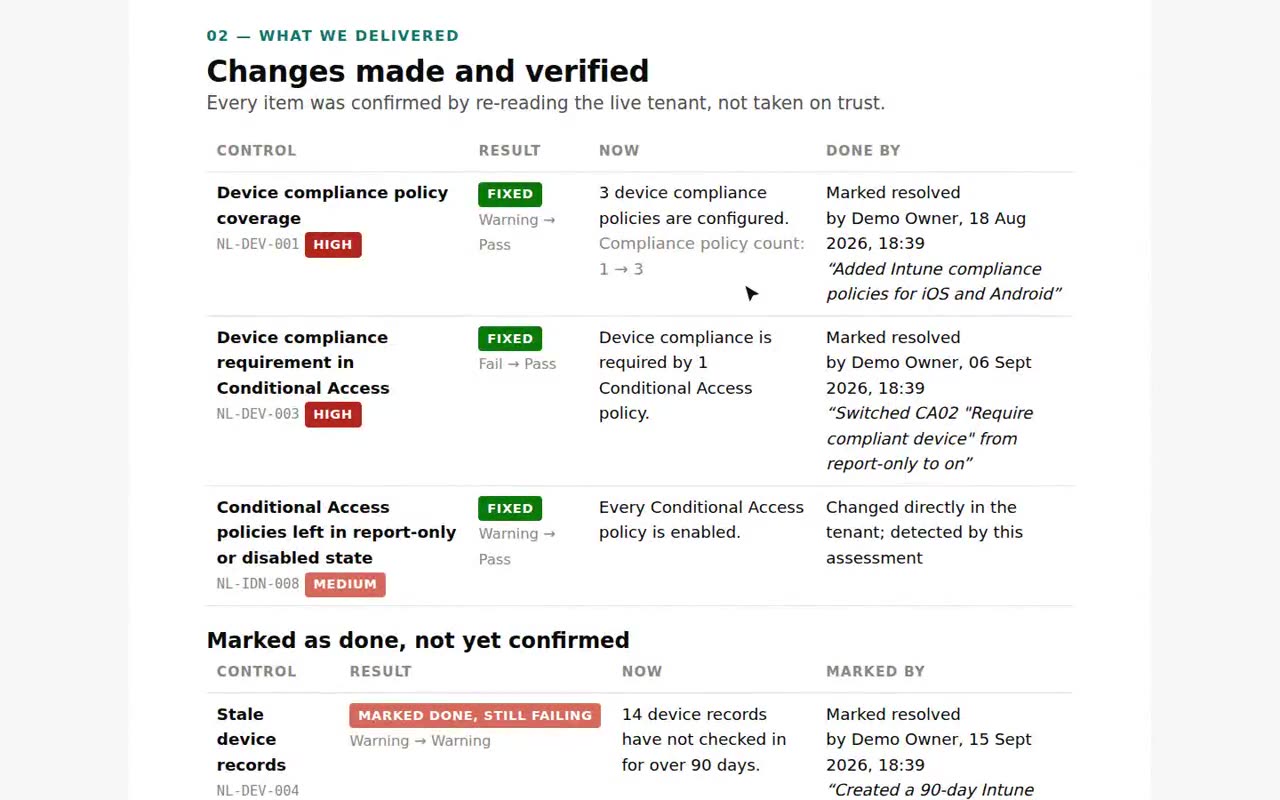
A short, branded pack for the client meeting: what changed, what you fixed and proved, and what to do next.
- Verified progress. Fixes count only once the live tenant passes, so the report never claims work that did not land.
- Your brand. Your logo, colours and footer on every page.
- Budget and next steps. The hardware refresh budget and the next steps, ready to agree in the meeting.
07 /Security assessment
A Microsoft 365 security assessment for every tenant you manage.
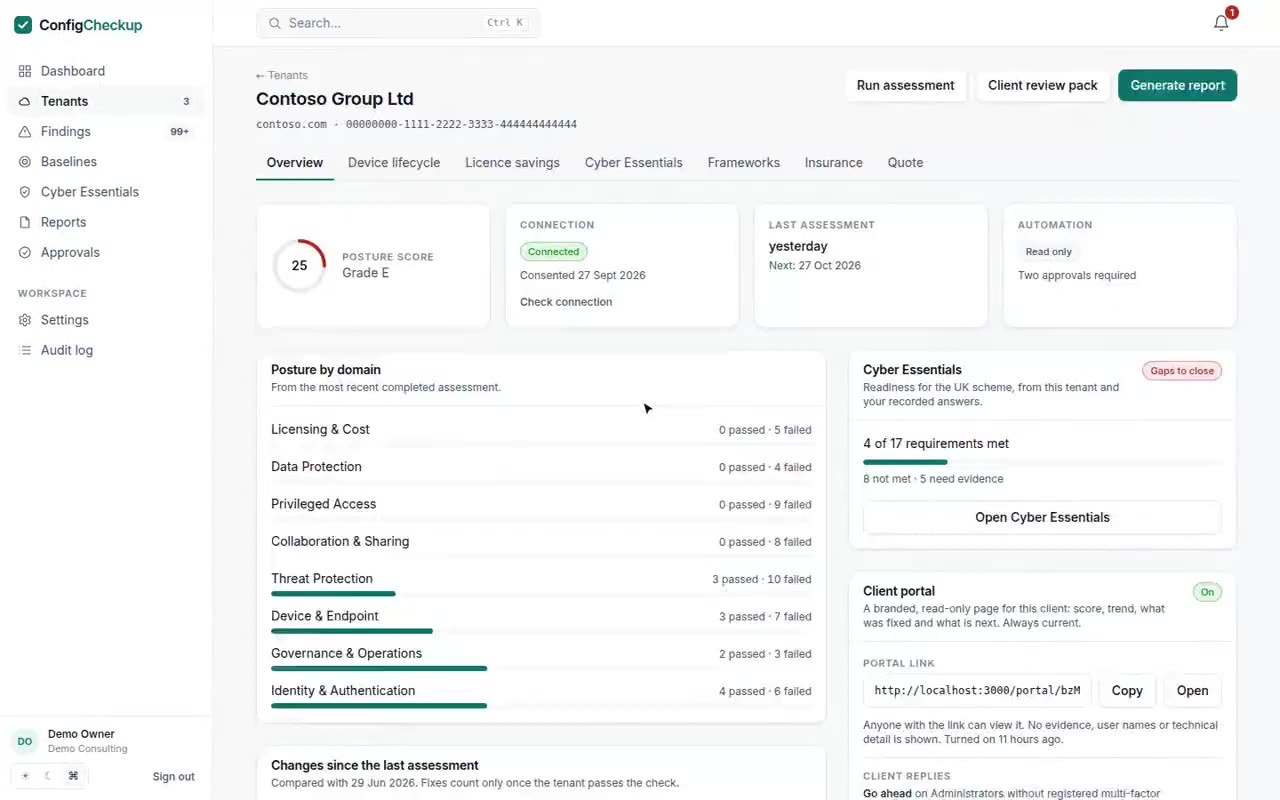
Identity, email, devices, sharing and apps, checked with read-only consent, scored, and mapped to the frameworks your clients are audited on.
- Read-only by default. Admin consent to read settings. Nothing is changed unless you grant write permission and approve each change.
- Worst first. Findings across every tenant, by severity, with the evidence and how to fix each.
- Proof it changed. Each assessment is compared with the last, so a fix counts only once the tenant passes.
Try it free, no sign-up
Quick checks for any organisation, with nothing to connect.
One connection, every one of these.
Fourteen days, one tenant, no card. The findings and figures come from your client’s own tenant, not from averages.