Features

The Microsoft 365 assessment you would write by hand, done in minutes and kept current.

A good consultant can produce this assessment by hand. It takes one to two days of senior time per tenant, varies between engineers, and is out of date within weeks. ConfigCheckup turns it into a repeatable service: the first assessment takes minutes, and every one after it shows what changed.

It is built for managed service providers that look after many tenants: priced per tenant, white-labelled, and designed around the conversation with the client. Every feature below is on every paid plan unless it says otherwise.

How it works

From consent link to client report in one sitting.

  1. 01

    Connect

    Send your client’s Global Administrator a consent link. They see exactly which read-only permissions are requested, and can revoke them at any time.

  2. 02

    Assess

    ConfigCheckup reads identity, access, devices, email, collaboration, threat protection and licensing through Microsoft Graph and public DNS, then evaluates 71 controls.

  3. 03

    Report and improve

    Generate a branded report, work through the prioritised roadmap, and re-assess on a schedule to prove what changed.

Assess

Microsoft 365 assessment

Identity, admin access, devices, email, collaboration, threat protection, data and licensing, read through Microsoft Graph with read-only consent. Each finding comes with the evidence and numbered steps to fix it.

  • Evidence behind every finding
  • Checks that could not run are never counted as passes
  • Scheduled or on demand

Framework readiness

See how each client measures up against the framework they are audited on, control by control, with a printable report. Cyber Essentials Plus, ISO 27001:2022, NCSC CAF, NIS2, DORA, SOC 2, PCI DSS 4.0, NIST 800-171, CMMC and more.

  • Met, partly met and not met per control
  • What Microsoft 365 cannot evidence, stated plainly
  • A branded report for the client

Copilot readiness

Copilot can find anything a person can already open. See who can see what, which public teams hold files every employee can read, whether content is labelled, and what to fix before rollout. Once it is live, see who uses Copilot and in which apps, and reclaim the seats nobody opens.

  • Ready, nearly ready or not ready, with the reasons
  • Who uses Copilot, in Teams, Outlook, Word and more
  • Unused seats costed, with one-click reclaim

More about Copilot readiness and usage

App access review

Every third-party and in-house app with access to the tenant, with what it can reach, who consented, whether the publisher is verified and when it was last used. Risky apps can be blocked through an approved, reversible change.

  • Flags apps that can make themselves an admin
  • Unverified publishers, user consents and unused apps
  • Block in one approved change (Growth and Scale)

Cyber Essentials readiness

The five Cyber Essentials controls, with the Microsoft 365 requirements answered from the assessment and the rest recorded by you, across every client.

  • Requirements evidenced automatically
  • Your answers for firewalls and patching
  • Portfolio view of who is ready

Email security

Every custom domain checked for spoofing protection, with Defender for Office 365 and Exchange Online settings from Secure Score.

  • Provider-aware DKIM
  • Forwarding rules sending mail outside
  • Free public check for any domain

Try the free email check

Verified progress

Each assessment is compared with the last. A fix counts only when the live tenant passes the check again, credited to whoever made it, and anything marked done but still failing is called out.

  • Fixed, improved, regressed and new
  • The setting that changed
  • “Marked done, still failing”

Deliver to clients

Reports and review packs

Executive, technical and board reports, and a short client review pack for the quarterly meeting: score movement, what was delivered, what is left and the hardware budget, with your name and logo on them.

  • PDF or HTML, white-labelled
  • Trend across every assessment
  • Monthly emails to the client (Growth and Scale)
Growth and Scale

Client portal

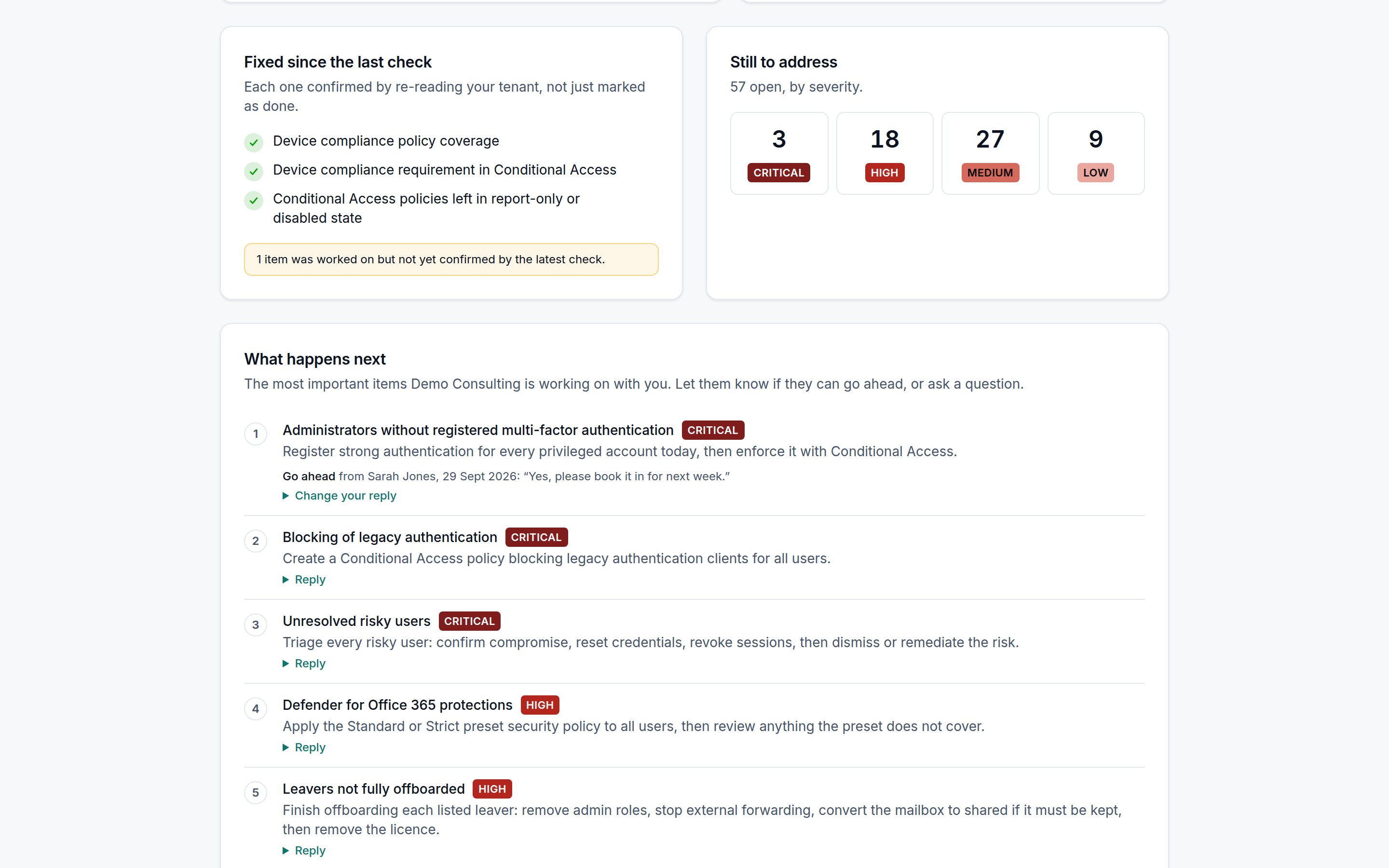
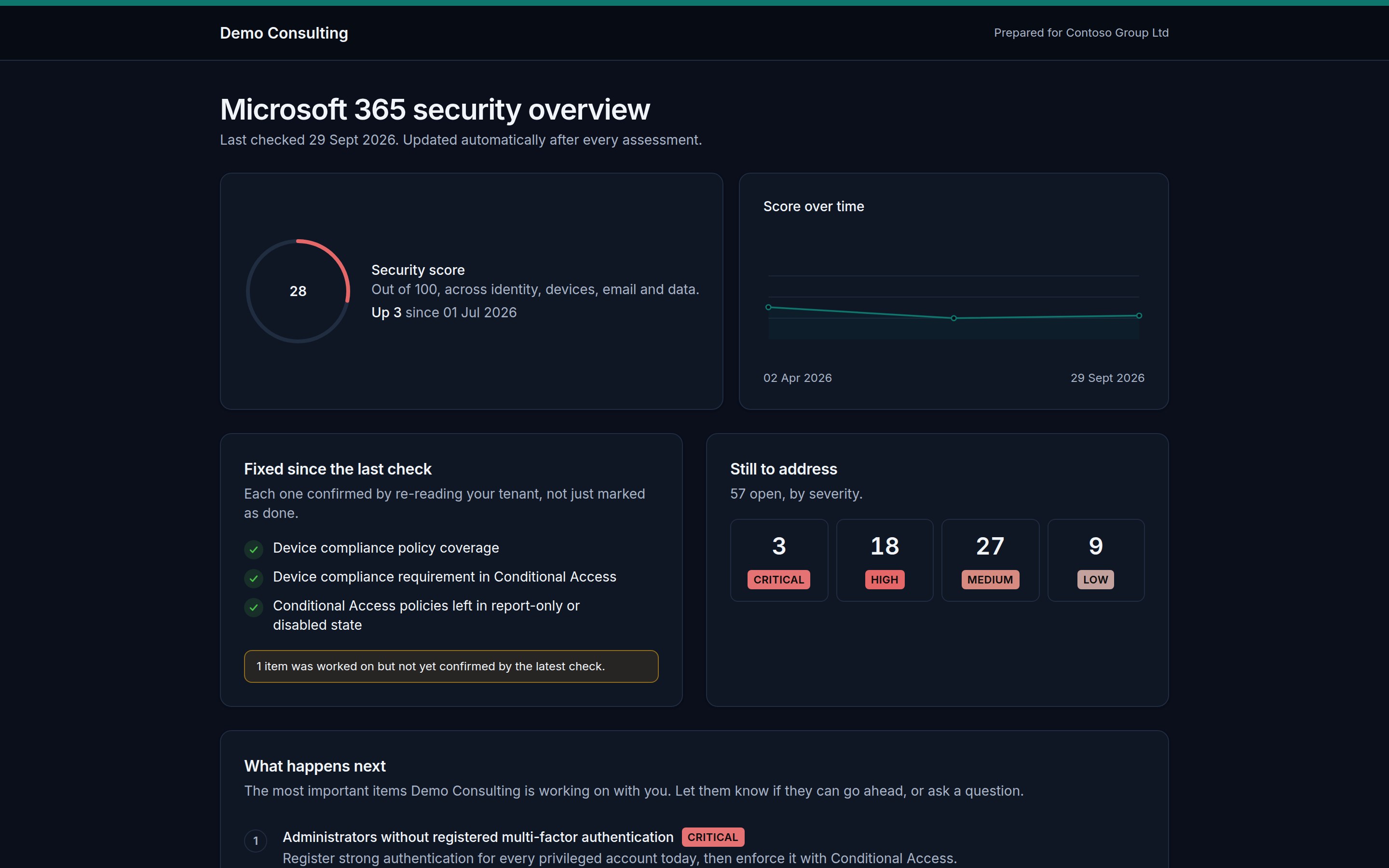
Each client gets a branded, always-current page with their score, trend, verified fixes and next steps, and can reply to each step: go ahead, seen it, or ask a question.

  • Replies arrive in your notifications
  • No evidence or user names shown
  • One secret link; rotate it any time

Prospect health check

A free Microsoft 365 health check on a page with your name, logo and colour. Businesses enter their domain and get an instant result from public information; you get the lead, and can add them as a tenant in one click when they agree to the full check.

  • Email spoofing, sign-in and mail filtering, from outside
  • Book a call and request the full check
  • Leads list with each result

Cyber insurance answers

The questions insurers ask at proposal and renewal, answered yes, partly or no from the assessment with the evidence beside each, and a printable version for the proposal form.

  • MFA, legacy auth, admins and leavers
  • Backups and EDR answered by you
  • Printable for the form

Remediation quotes

Open findings, most urgent first, estimated in hours and priced at your rate, as a branded quote. Sent, accepted and declined are tracked.

  • Hours per fix, editable
  • Your logo on the quote
  • Tracked to acceptance

Save and manage

Licence savings

Licences on disabled and dormant accounts, Copilot seats nobody uses, and plans bigger than the tenant uses, costed per year, with the evidence. Reclaiming them is drafted as an approved change.

  • E5 to E3 only when E5 features are unused
  • Costed per suggestion
  • One-click reclaim (Growth and Scale)

Billing check

Import your Pax8, TD SYNNEX, Giacom or Microsoft invoice as CSV. Each line is matched to its tenant and licence, and compared with the seats the tenant holds and uses.

  • Seats billed that no tenant holds
  • Seats billed but never assigned
  • Licences a tenant has that you are not billing

More about the billing check

Device lifecycle

Every device dated from its model and checked against its operating system’s support window, with replacements at four budgets and a four-year forecast. Inactive end-of-life devices can be removed through an approved change.

  • Replace, or just needs an OS update
  • Four budget tiers
  • Your own lifespans per device type
Growth and Scale

Security event alerts

Each tenant’s audit log is read every 15 minutes. A new Global Administrator, a risky app consent, an MFA method removed, Conditional Access deleted or a domain federated is sent to email, Teams or Slack straight away.

  • Only changes that matter, never routine noise
  • High-risk users from Identity Protection
  • Email, Teams, Slack and webhooks (Growth and Scale)

Settings backup and restore

Conditional Access, named locations, sharing, guest and authentication settings and Intune compliance policies are backed up daily. See exactly what changed and when, and put Conditional Access or sharing back through an approved change.

  • Only changes are stored, 30 versions each
  • Deleted policies can be created again
  • Restores are approved and can be rolled back

More about settings backups

Baselines and drift alerts

Define what your service promises once and hold every tenant to it. A daily check alerts you by email, Teams or Slack when a critical control stops passing.

  • Templates for CIS, Cyber Essentials and email
  • Scope by tag
  • Daily drift alerts (Growth and Scale)

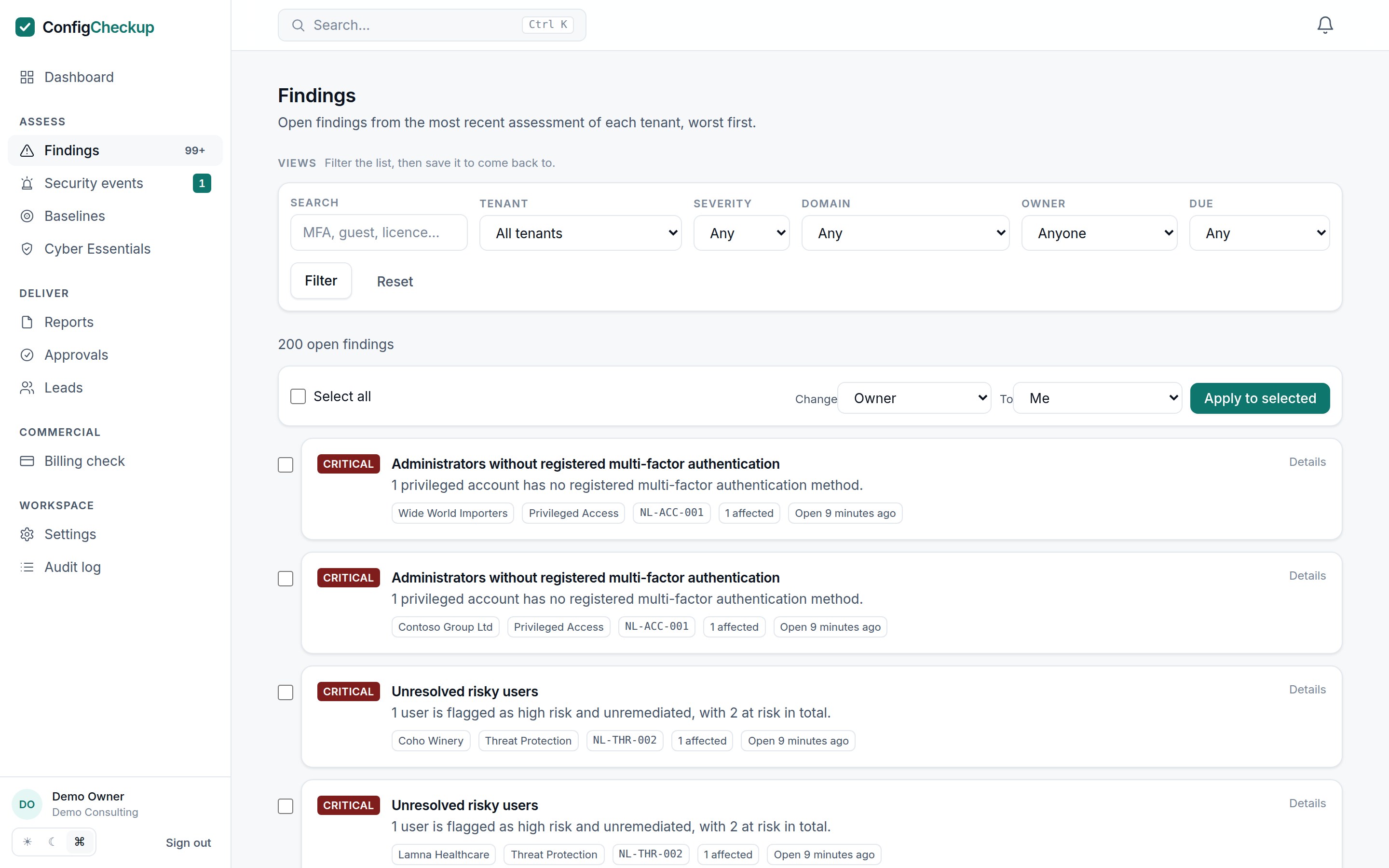
Findings explorer

Search and filter findings across the whole portfolio. Assign owners, set due dates or accept a risk across many at once, and save the views you use.

  • Bulk owners, due dates and risk acceptance
  • Saved views
  • Search everything with Ctrl+K

Automate and integrate

Growth and Scale

Approved automation

Disable dormant accounts, reclaim licences, remove stale devices and more. Every change is previewed, approved by a second person, recorded with a way back, and audited.

  • Dry run before approval
  • Two-person approval
  • Rollback and audit trail

How automation works

PSA tickets

Failing controls become tickets in your PSA with the fix steps in them, and close themselves with a note once a later assessment shows them passing.

  • One ticket per control, never duplicated
  • Severity threshold you choose
  • Credentials stored encrypted

Connect your PSA

Growth and Scale

API and webhooks

A REST API for tenants, scores and findings, and signed webhooks when assessments finish, reports are ready or drift appears.

  • Scoped API keys
  • Signed webhooks
  • Custom rules on your own data

API reference

Growth and Scale

Partner Center onboarding

Load your customers from Partner Center and add them all at once, with a queue to track which are still waiting for consent.

  • Reads GDAP relationships
  • Consent queue
  • Stops at your plan’s limit, not halfway

Connecting tenants

Notifications and security

Client replies, drift, finished assessments and reports in the app and by email, with drift alerts to Teams or Slack. Your team signs in with two-step verification or Microsoft single sign-on.

  • In-app, email, Teams and Slack
  • Single sign-on with Entra ID
  • Full audit log

Up close

Every client’s posture, on one screen.

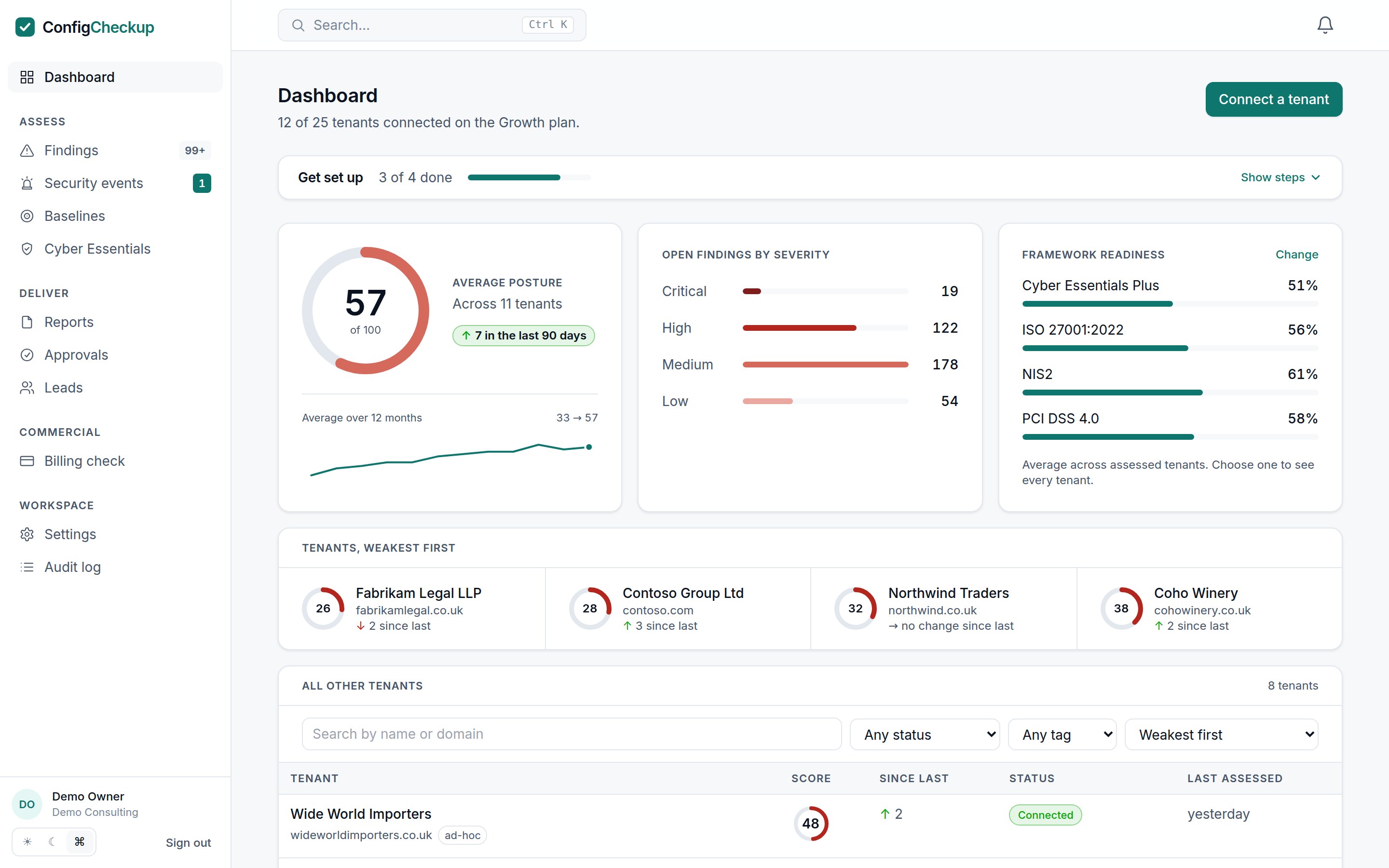
The dashboard’s own panels: average score, what is open by severity, readiness against the frameworks your clients ask about, and the tenants that need you first.

Average posture

Across 24 tenants

8 since last quarter

Open findings by severity

  • Critical9
  • High41
  • Medium53
  • Low19

Framework readiness

  • Cyber Essentials Plus78%
  • ISO 27001:202264%
  • NIS258%
  • PCI DSS 4.041%

Tenants, weakest first

  • Fabrikam Legal LLPfabrikamlegal.co.uk · +6
  • Contoso Group Ltdcontoso.com · +23
  • Northwind Tradersnorthwind.co.uk · +9
  • Tailspin Toystailspintoys.co.uk · +2

Illustrative figures.

One consent

Your view, the findings, and the page your client sees.

The dashboard for you, the evidence for your engineers, and a branded portal for the client, all from the same read-only assessment.

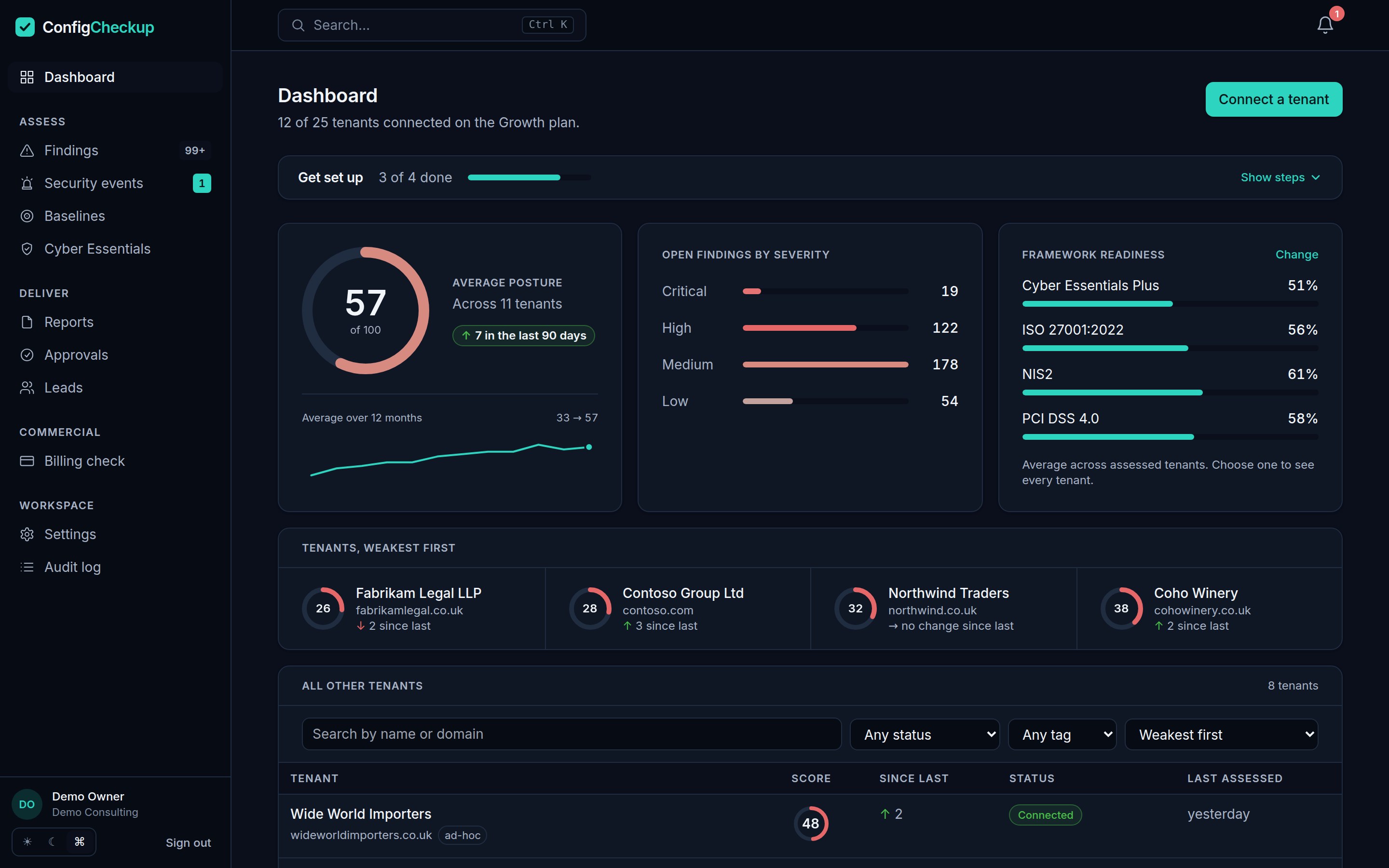
ConfigCheckup dashboard: average posture, open findings by severity and tenants ranked weakest firstConfigCheckup dashboard: average posture, open findings by severity and tenants ranked weakest first
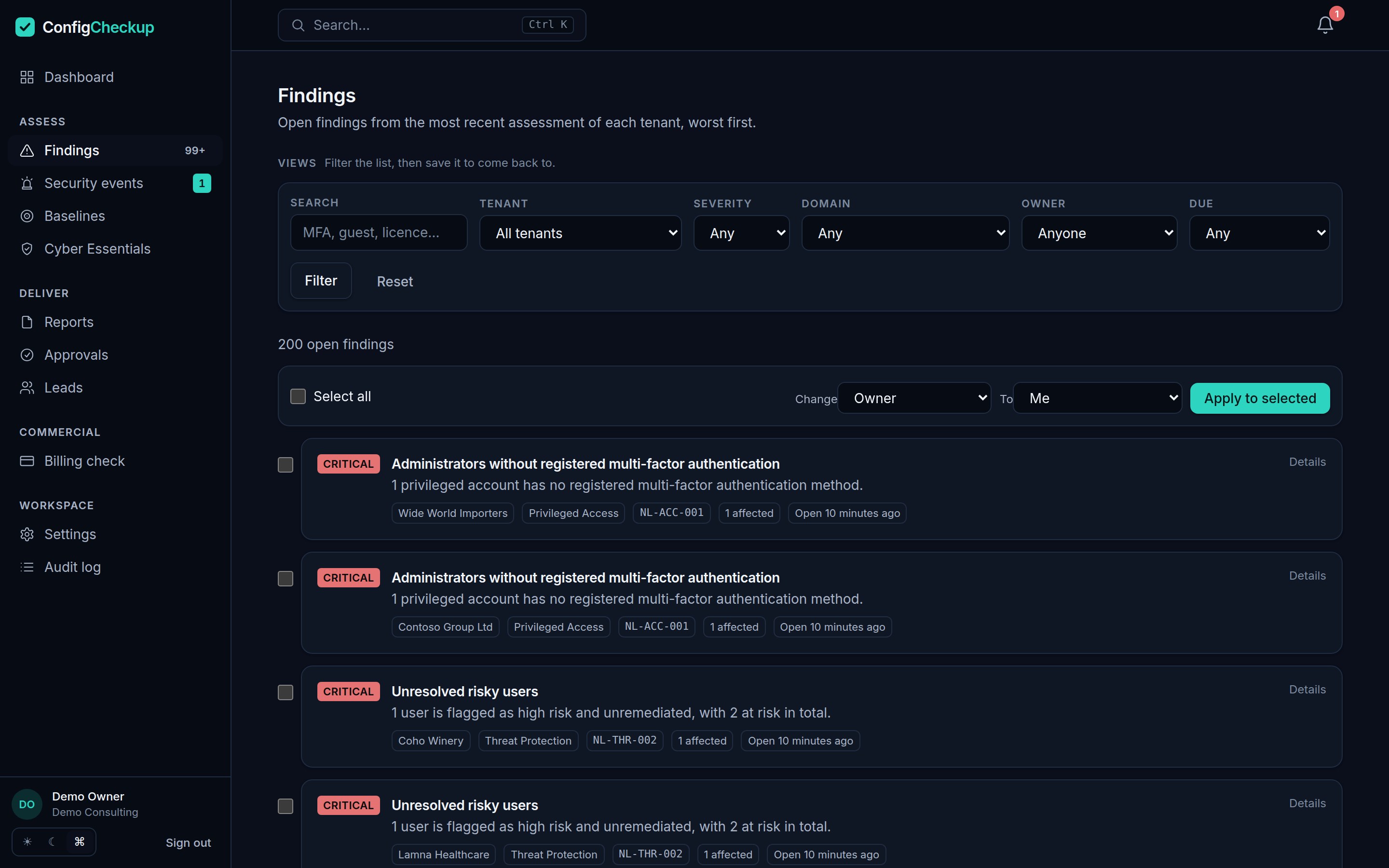
The findings explorer, worst first across every tenantThe findings explorer, worst first across every tenant
The client portal: a branded, read-only page with the client's score, trend, verified fixes and what is still openThe client portal: a branded, read-only page with the client's score, trend, verified fixes and what is still open

Principles

What it is built on

Read-only by default

Assessment never needs write access. Automation is a separate consent, off per tenant until an administrator turns it on, and every change is dry-run and approved by a second person.

A check that could not run never looks like a pass

Missing permissions or licences are reported as coverage gaps and excluded from the score in both directions, and the coverage percentage is printed next to it.

Fixes are verified, not claimed

Marking something done is recorded, but only a re-read of the tenant counts it as fixed.

Written for the client

Reports lead with business risk and what changed, with the technical evidence behind them for the engineer who has to act.

Control catalogue

All 71 controls, mapped to the frameworks you report against.

71 controls across 8 areas, generated from the product itself, so it is always current. Filter by framework, search, and open any control to see what it checks and how to fix it.

71 shown
criticalIdentity & Authentication

Multi-factor authentication registration coverage

Measures how many enabled member accounts have registered at least one multi-factor authentication method.

Recommended fix

Drive registration to 100% of enabled member accounts, then enforce it with Conditional Access.

CIS M365NIST CSFEssential EightCyber EssentialsCIS Controls v8NCSC 10 StepsISO 27001:2022NCSC CAFDSPTDORANIS2Microsoft Cloud Security BenchmarkZero TrustSOC 2PCI DSS 4.0NIST SP 800-171CMMC Level 2Secure ScoreCyber Essentials Plus

See it on your own tenant.

Fourteen days, one tenant, no card.