Chapter 04 · Devices and assets
Devices and assets, on one register.
The devices Intune and Entra know about, each with its age, its support dates and what replacing it costs at four budgets, and an asset register for tag, purchase, warranty, location, book value and disposal.
Locking, retiring and wiping a device are changes like any other: dry-run first, and run only once a person approves.
Devices and the asset register are on every plan; device changes come with Automate
14 days of daily monitoring and alerts, every finding with its fix guide, and reports on up to 3 tenants, from your first connected tenant. No card. Then choose the plan that fits.
CG-0001
LAPTOP-1004 · Dell Latitude 7480 · serial NLFQH0
From Intune
- Primary user
- Tom Becker
- System
- Windows 10 22H2
- Lifecycle
- End of life · Replace now
On the register
- State
- In use
- Location
- Head office
- Supplier
- Demo supplier
- Purchased
- 20 May 2019 · £899, excluding VAT
- Book value
- £0 today, over a four-year refresh cycle
- Warranty
- Ends 20 May 2022 · Expired
When it goes
- Disposed of on
- —
- How
- —
- Certificate or reference
- —
One laptop, from delivery to disposal
A laptop’s life, on the record.
LAPTOP-1004 is Tom Becker’s laptop at Contoso Group Ltd. Its tag, purchase, warranty and value are on the register; its support and replacement come from the lifecycle check, which reads what Intune reports.
01May 2019
Delivered
In warranty
On the register as CG-0001, with its purchase, cost and supplier, and a QR label to scan.
- Cost
- £899, excluding VAT
- Supplier
- Demo supplier
- Book value
- £899
02May 2019
In use
In use
Enrolled in Intune, which names its primary user; the register keeps where it is, and writes its value down in a straight line.
- Primary user
- Tom Becker
- Location
- Head office
- Book value
- £893
03February 2022
Warranty ending soon
Ending soon
The register marks a warranty “Ending soon” 90 days before it ends.
- Warranty ends
- 20 May 2022
- Book value
- £280
04May 2022
Warranty ended
Expired
From that day the register lists it as warranty expired, among the devices that need attention.
- Book value
- £225
05July 2022
Due for replacement
Replace now
The lifecycle check’s date to replace it by: four years from the latest a 2017 model is bought, a year after its release. A replacement is costed at four budgets; the register writes it down to £0 by May 2023.
- Replace by
- 1 July 2022
- A replacement
- £350 to £1,800 each
- Book value
- £199
06October 2025
Out of support
End of life
Windows 10 22H2 left security support, and this model can’t run Windows 11: the answer is a new laptop, not an update.
- Support ended
- 14 October 2025
- Book value
- £0
Today 20 October 2026
07Forecast
Retired or wiped
Retired
Retire removes company data, apps and management and leaves the user’s own; a wipe resets it to factory settings.
- Retire
- One or two approvers, as set for the client
- Wipe
- Always two approvers; its name typed; in the console only
08Forecast
Disposed of
Disposed of
Recorded with the day, how it went and its certificate, and it leaves the register’s totals.
- How
- Recycled (WEEE), resold, returned to the supplier or lessor or destroyed
- Certificate
- A WEEE or data-destruction certificate, or a reference
The replacement plan
What replacing costs, at four budgets.
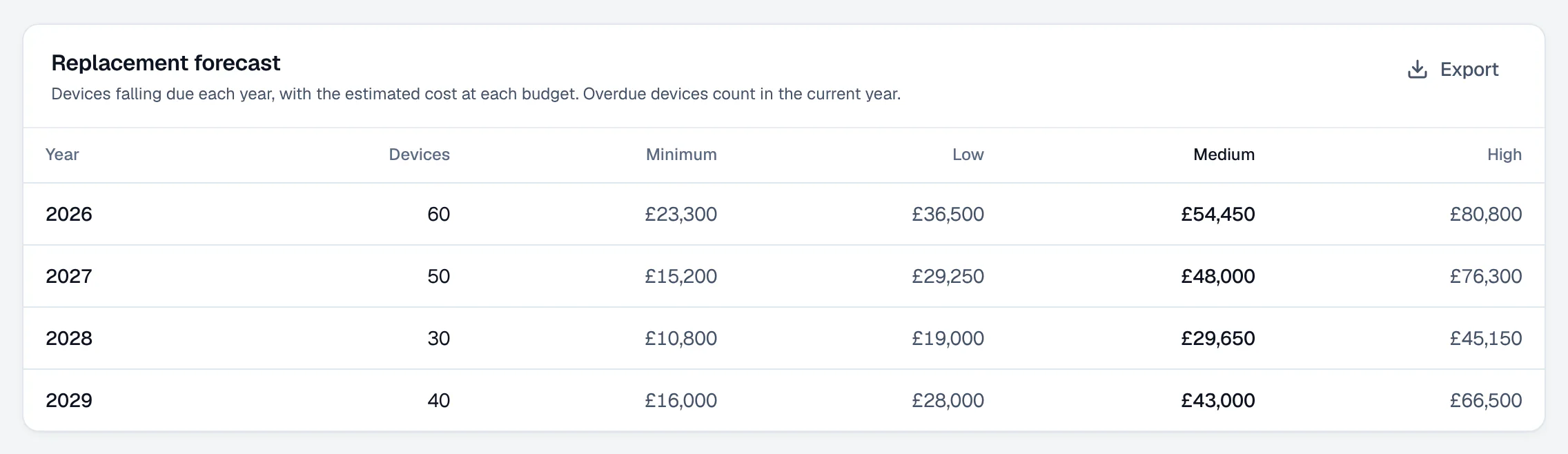
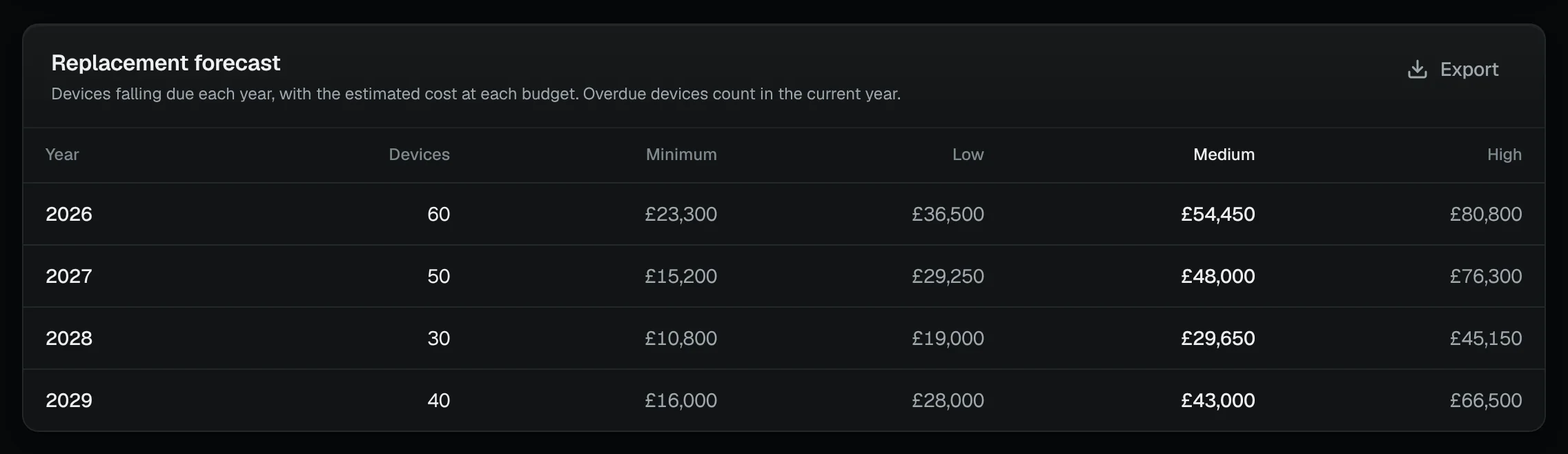
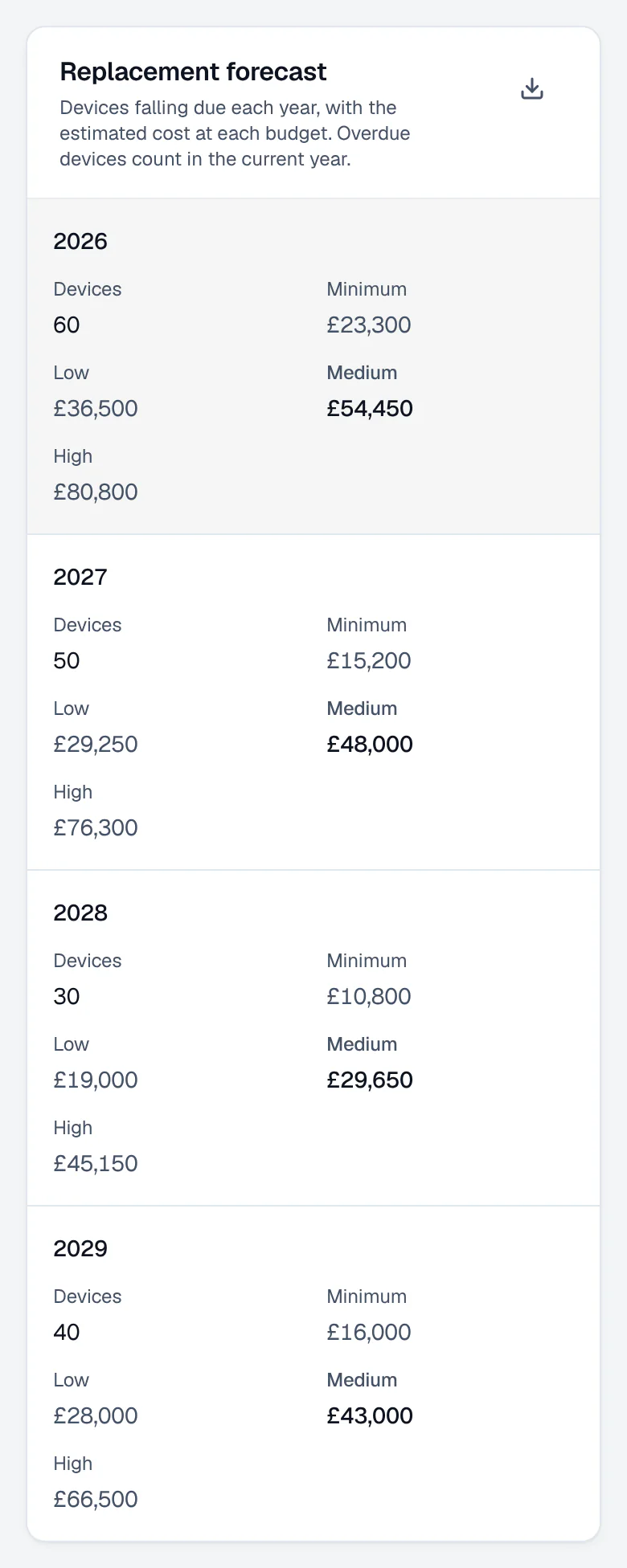
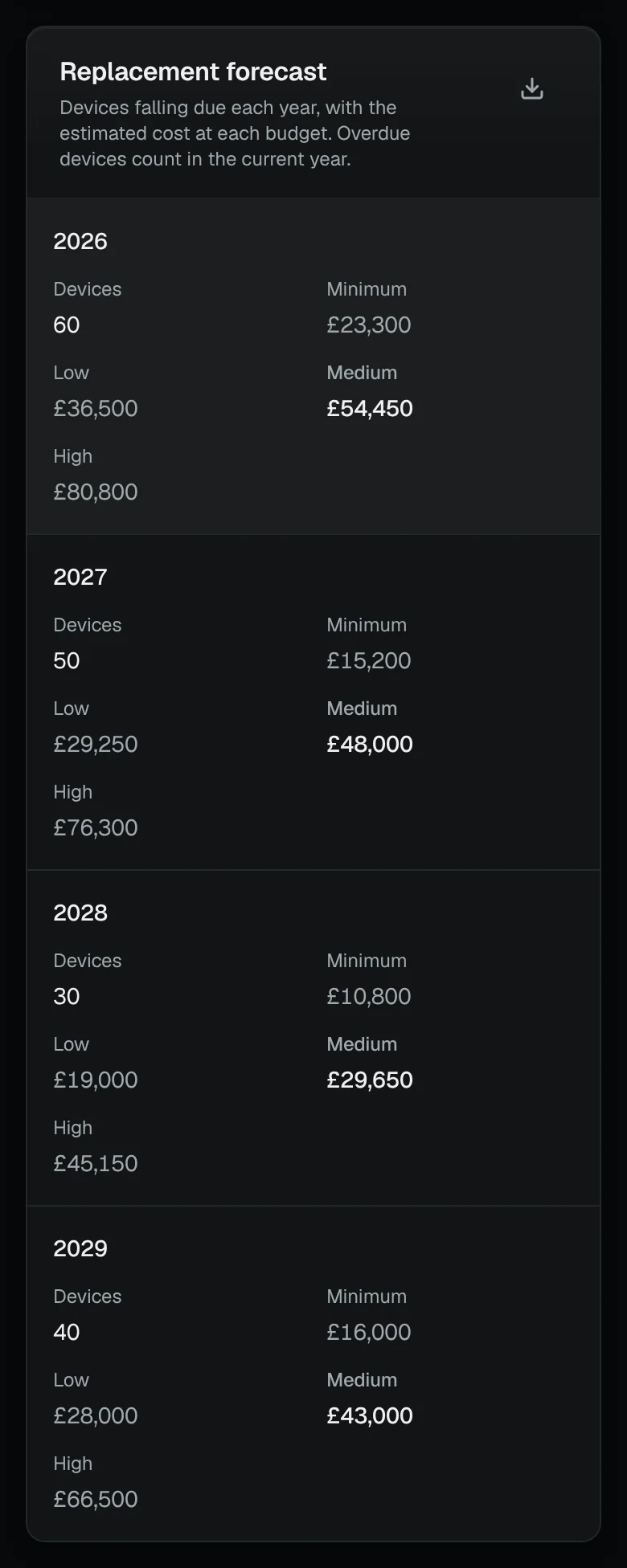
The Replacement plan prices the devices due now and those falling due in the next 12 months, at four budgets, from a catalogue of indicative UK business prices.
An unsupported operating system on capable hardware needs an update, not a purchase: 30 of Contoso Group Ltd’s 180 devices.
The lifecycle check keeps two clocks apart: the hardware’s refresh cycle, and its operating system’s support. Only devices whose hardware is at or near its end are costed as replacements.
Replace the 60 due now:
£23,300
plus £15,200 for 50 more in the next 12 months
Replace the 60 due now:
£36,500
plus £29,250 for 50 more in the next 12 months
Replace the 60 due now:
£54,450
plus £48,000 for 50 more in the next 12 months
Replace the 60 due now:
£80,800
plus £76,300 for 50 more in the next 12 months
Estimate at indicative UK business prices, excluding VAT; catalogue reviewed September 2026.
- This year’s devices, and their cost
- Four budgets
The asset register
What Intune doesn’t know, kept beside it.
Intune knows what a device is and how it is doing. The register keeps what the client paid, when and from whom, its warranty, its tag and where it is, until it is disposed of. LAPTOP-1004’s record opens this page.
- Tags and labels
- An asset tag for each device, and QR labels for Avery, Dymo, Brother and Zebra stock.
- Stock-take
- Scan each label, or type a tag or serial number, and see what has been found and what has not.
- Warranty
- “Ending soon” 90 days before it ends; Dell, Lenovo and HP look-ups in beta.
- Book value
- Written down in a straight line over the refresh cycle.
- Disposal
- The day, how, and the certificate or reference.
The same laptop in the console, step by step
01On Devices, the client’s devices from Intune and Entra, worst first.
/c/contoso-group-ltd › DevicesDemo data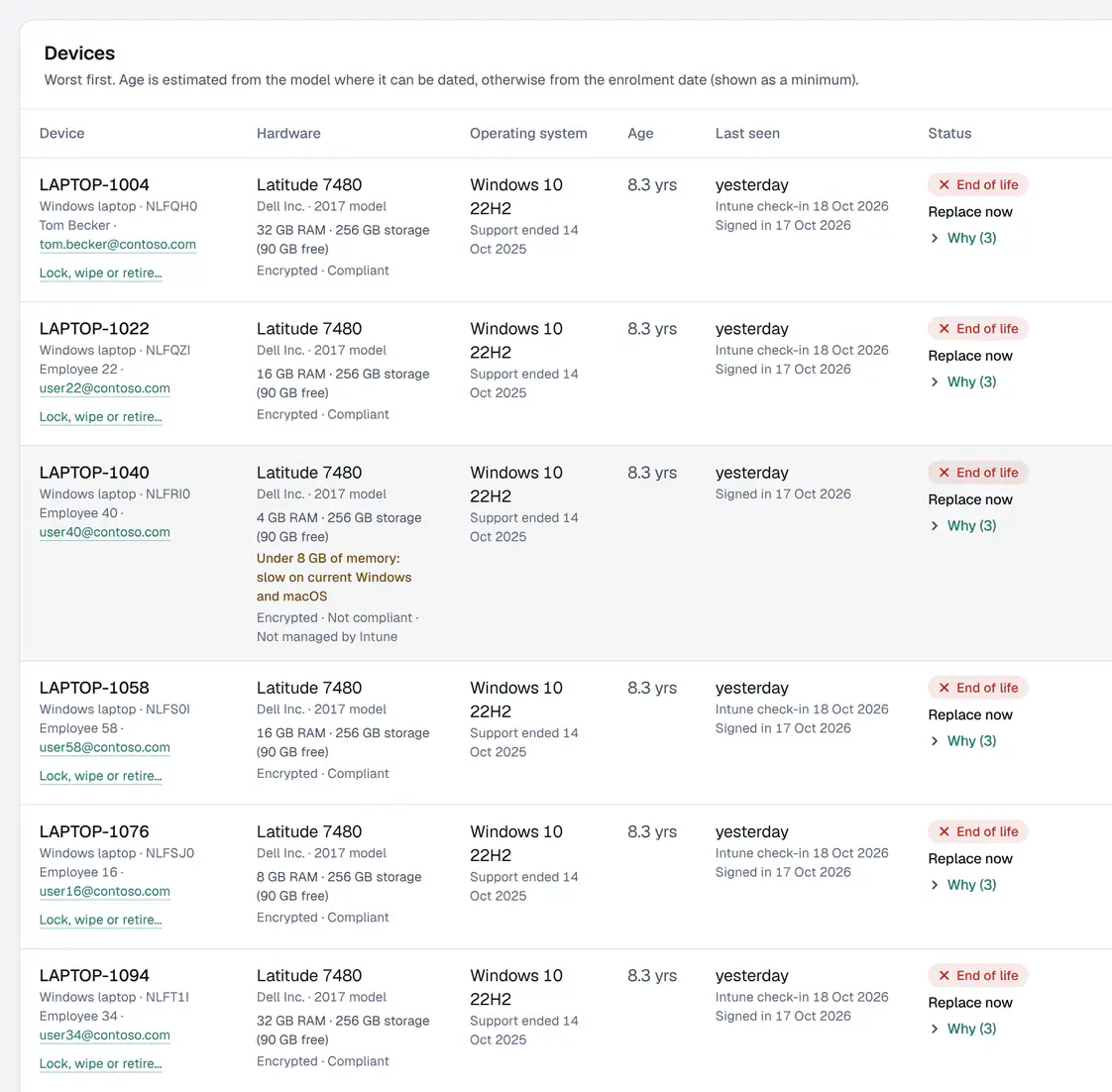
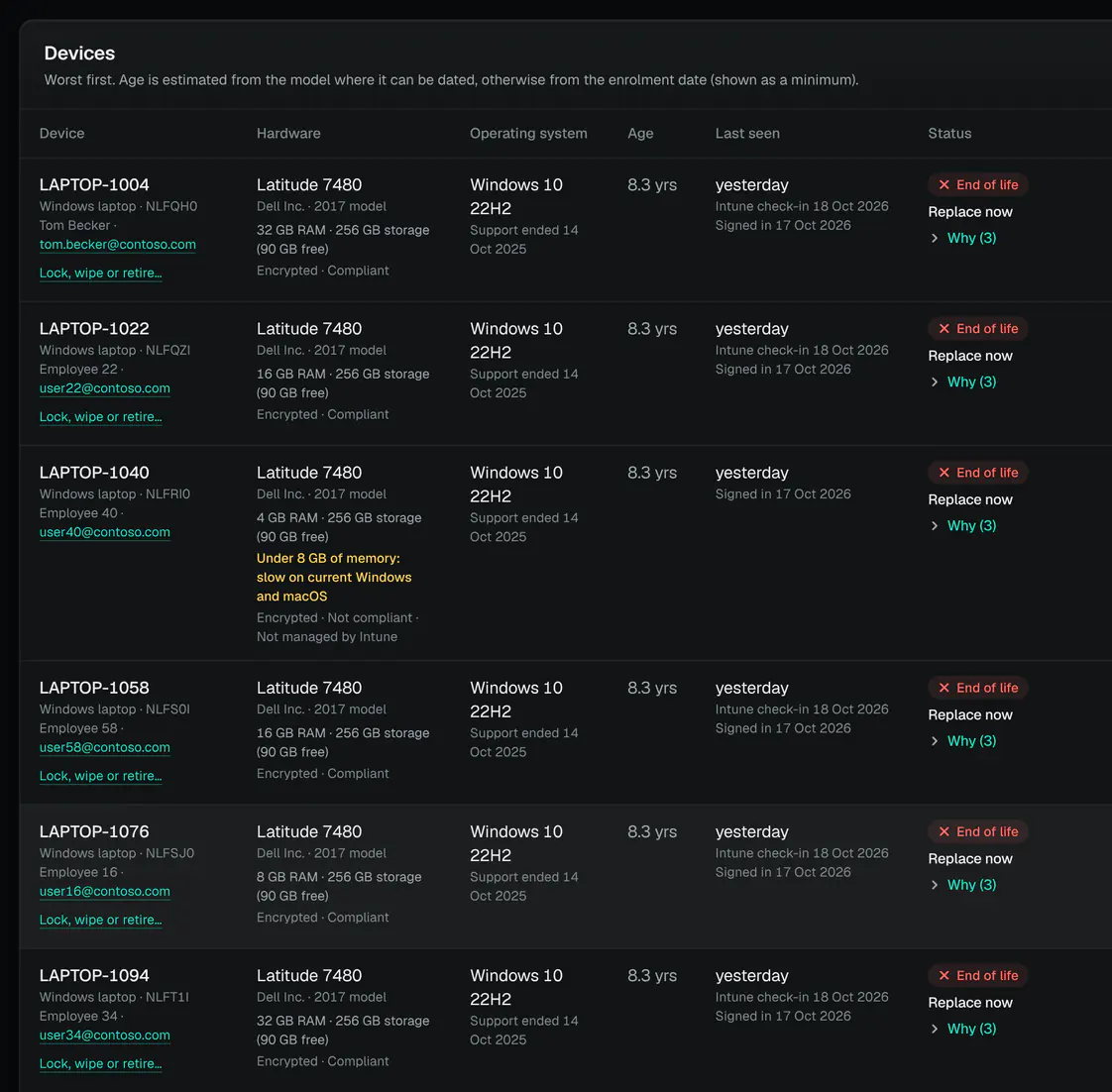
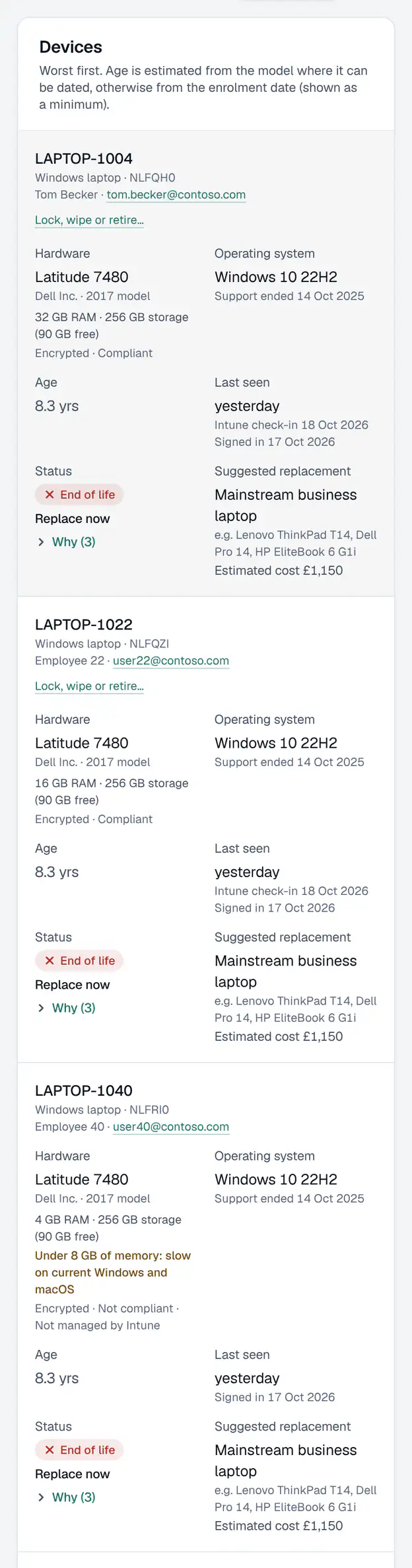
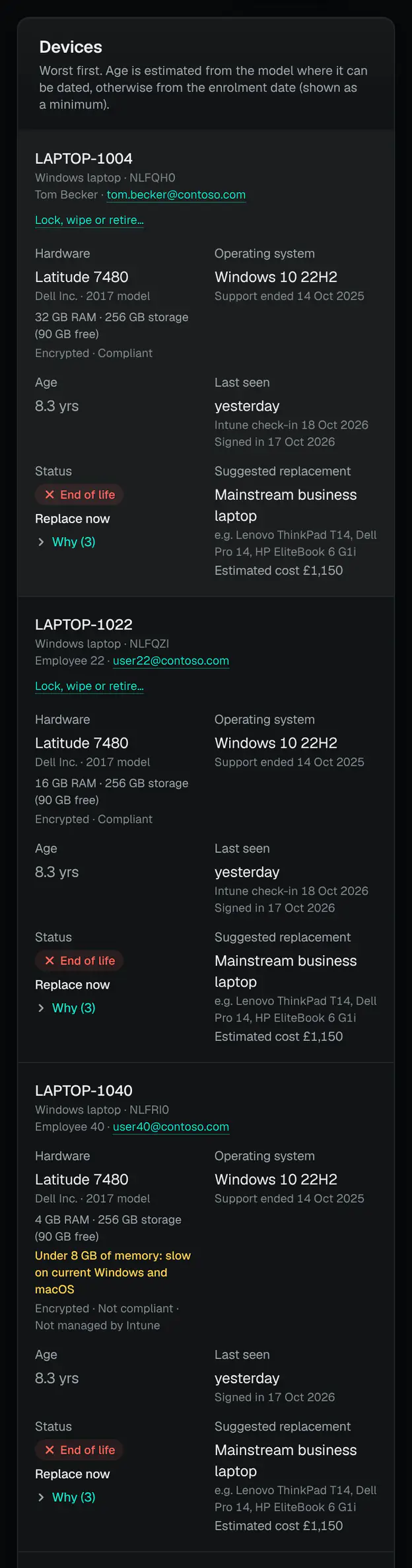
A client’s devices, worst first, by hardware age and operating system support. - Worst first, with its status
- Why, in the lifecycle check’s words
02The asset register: its figures, and what is coming up by quarter.
/c/contoso-group-ltd › Devices › Asset registerDemo data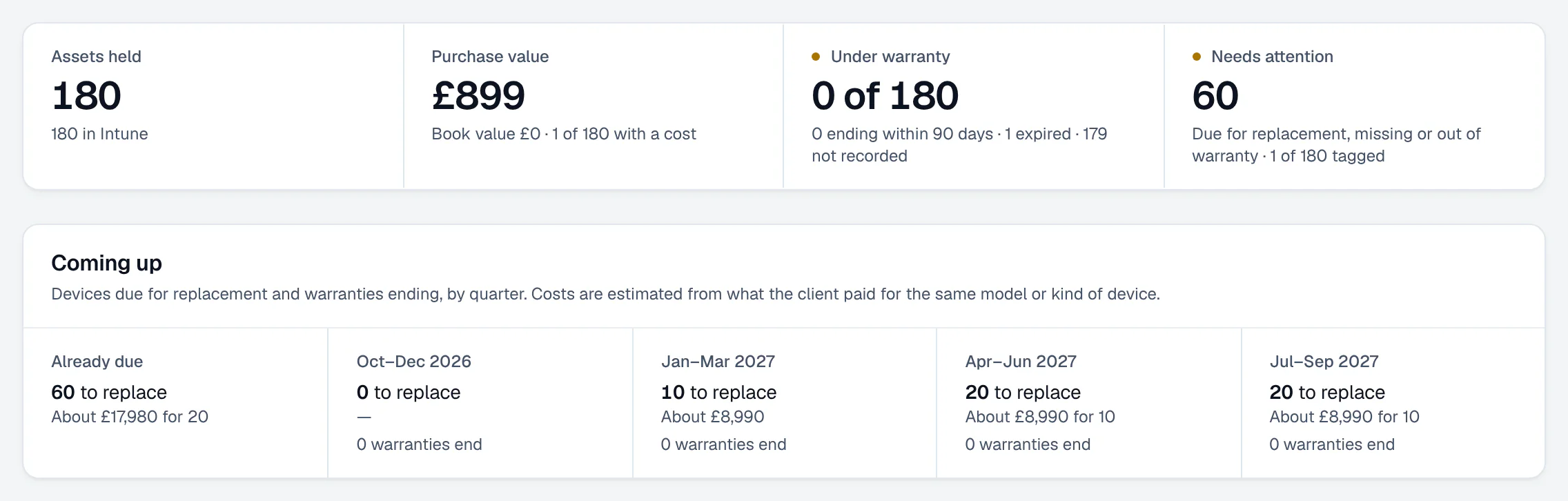
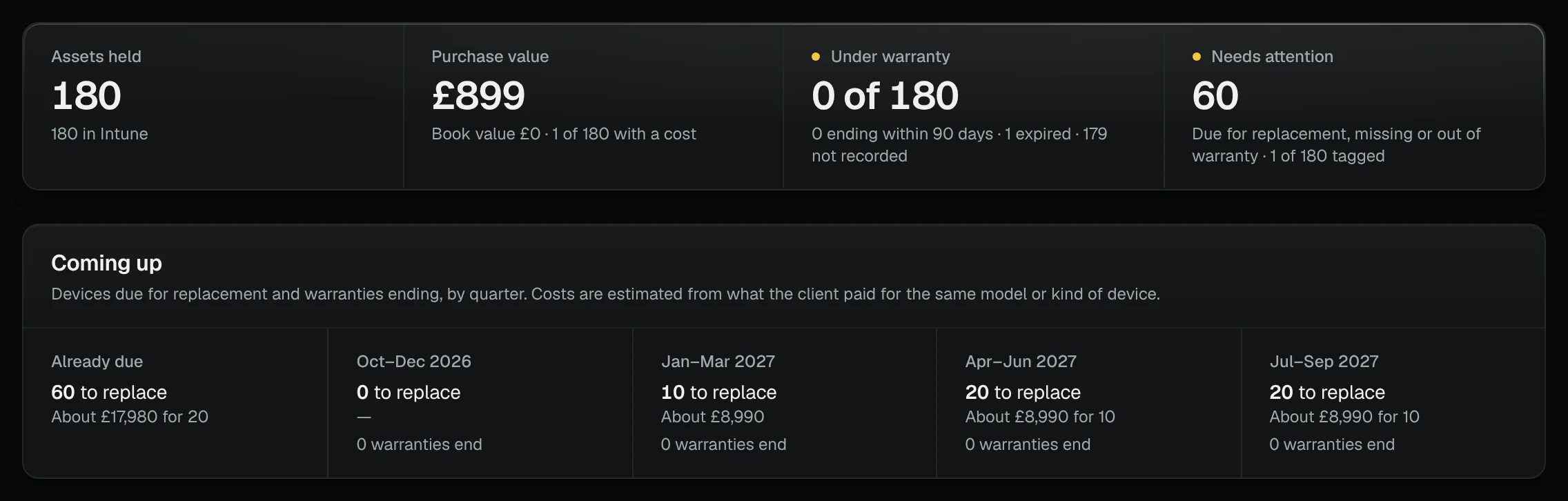
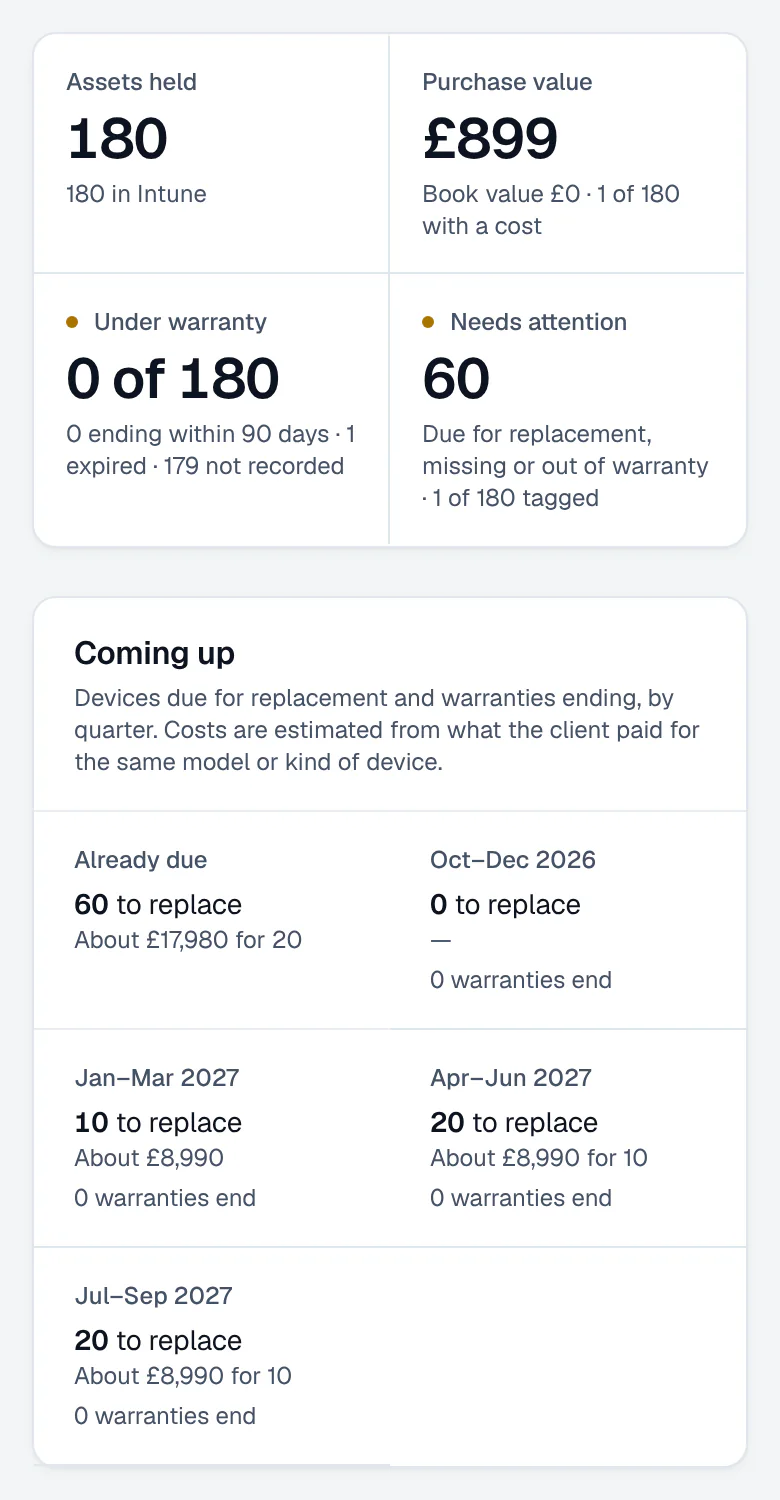
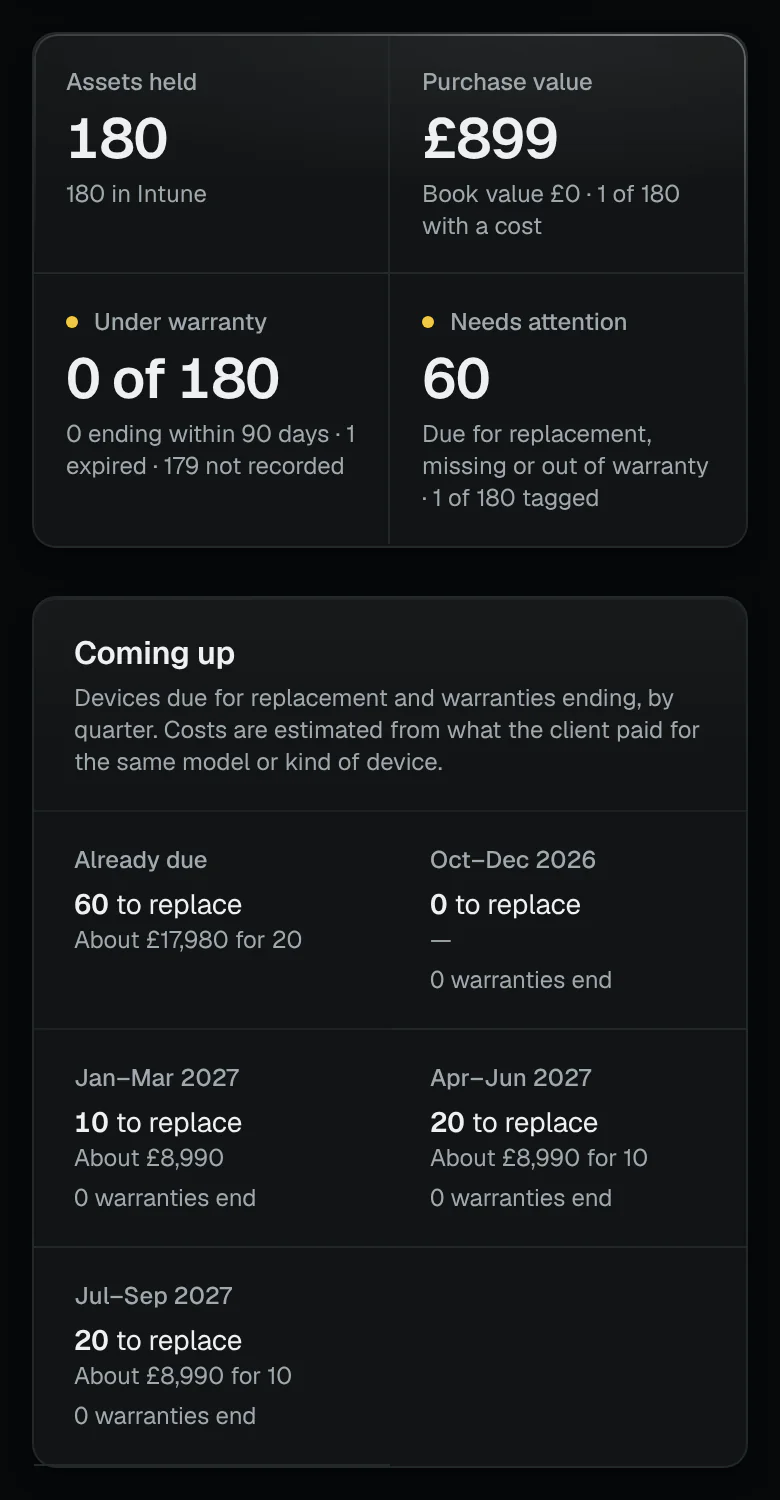
The register’s figures and what is coming up. - The register’s figures
- What is coming up, by quarter
03Open LAPTOP-1004 and record its tag, location, purchase, cost, supplier and warranty: it is due for replacement, and its warranty has expired.
/c/contoso-group-ltd › Devices › Asset register › LAPTOP-1004Demo data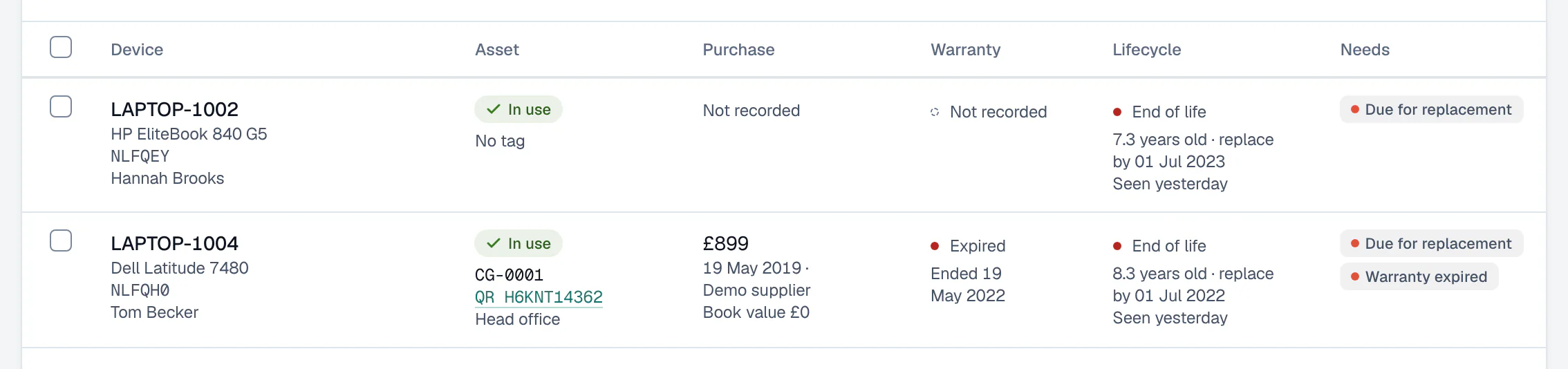
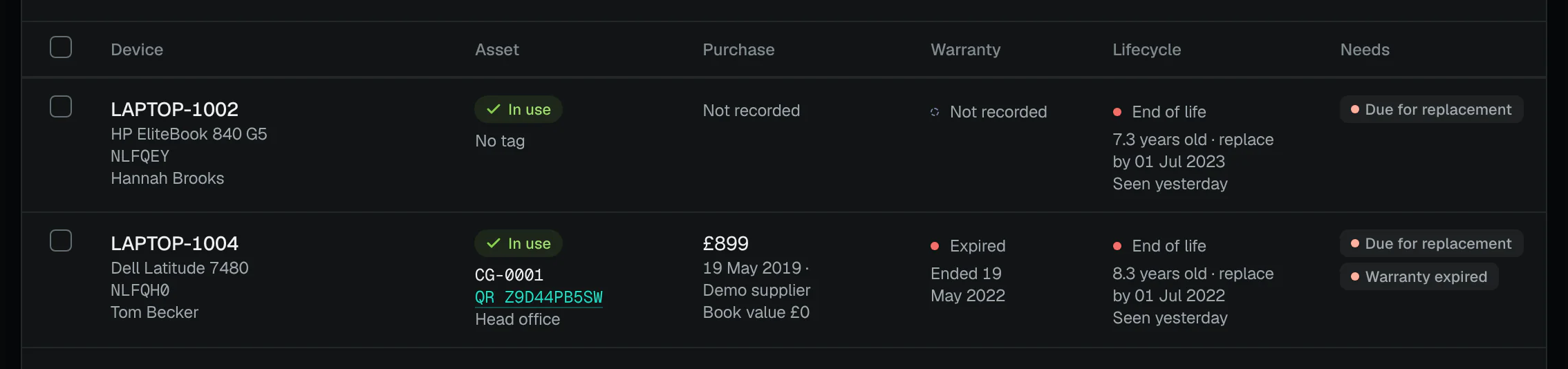
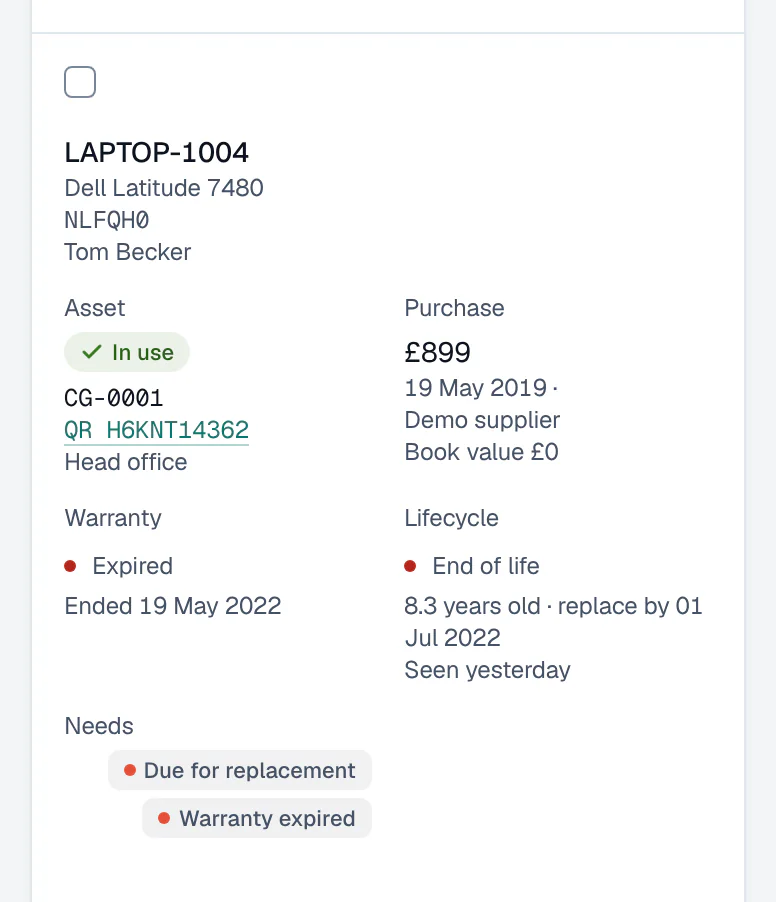
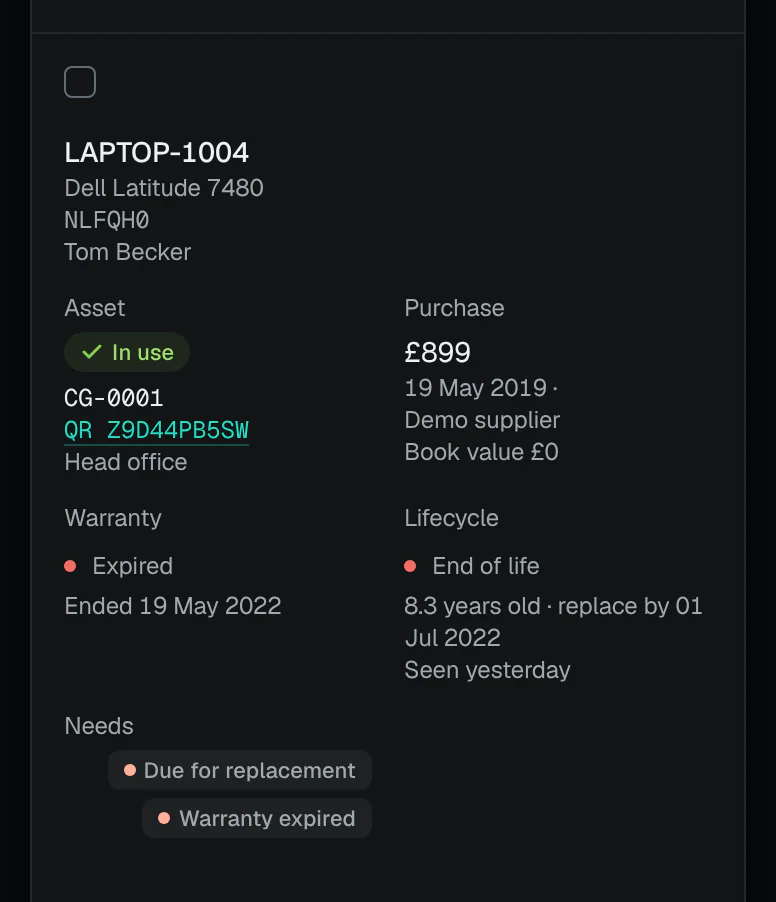
One laptop: tag, warranty, book value. - One laptop, on one row
- Its tag
- Purchase and book value
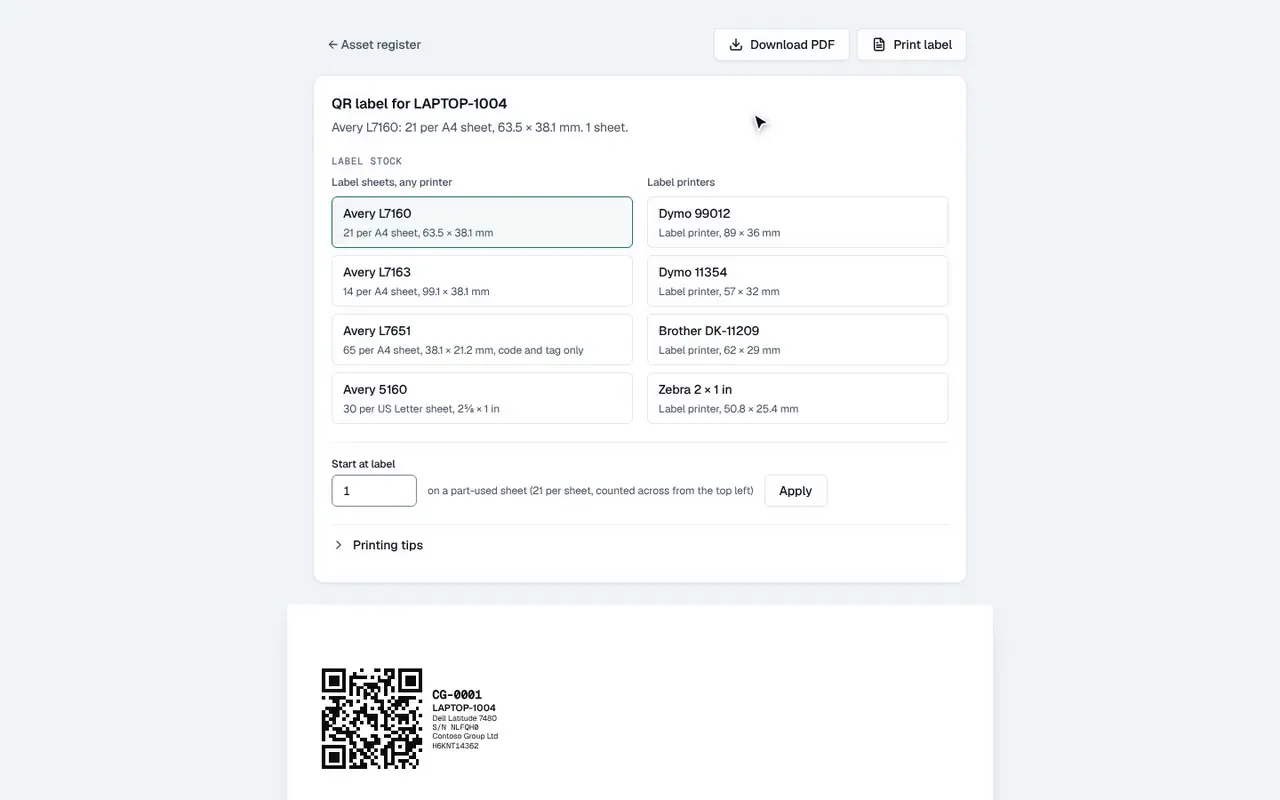
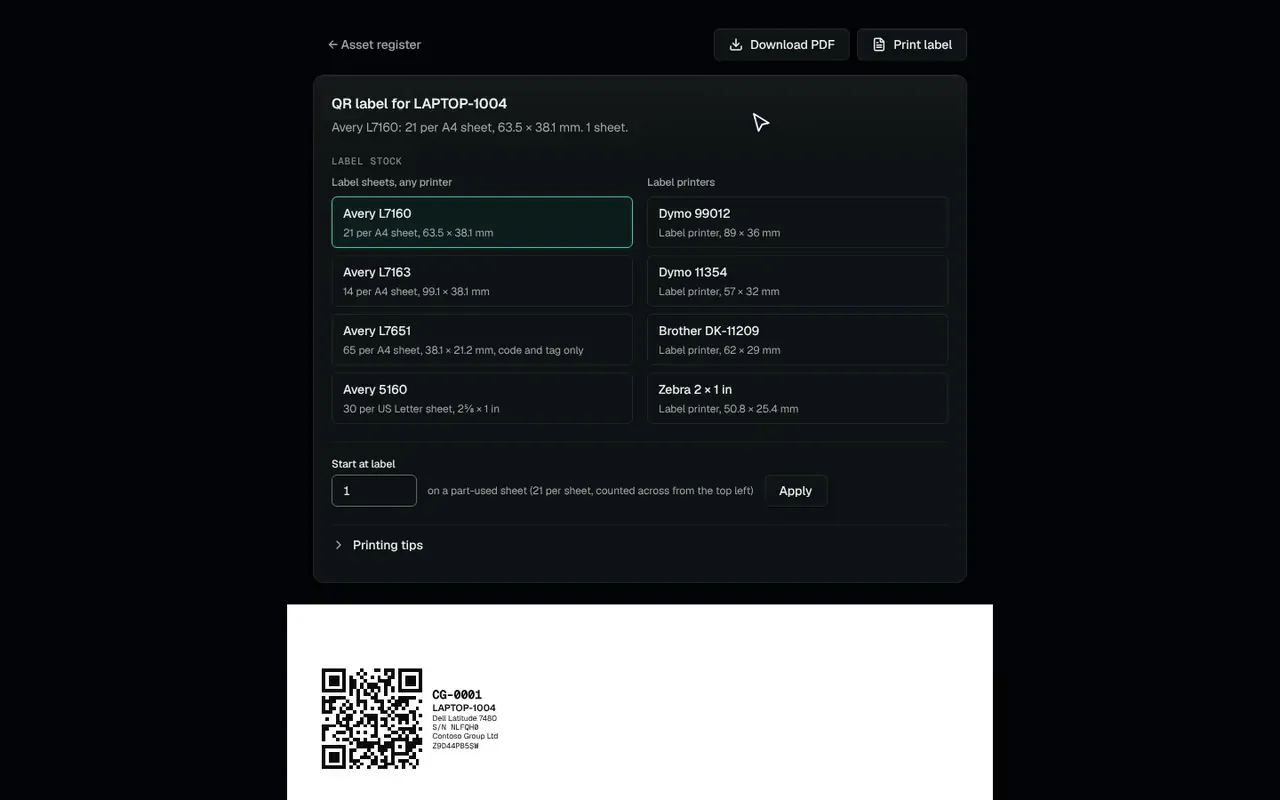
04Tick it and print its QR label, on Avery, Dymo, Brother and Zebra stock.
/print/asset-labels › Contoso Group LtdDemo data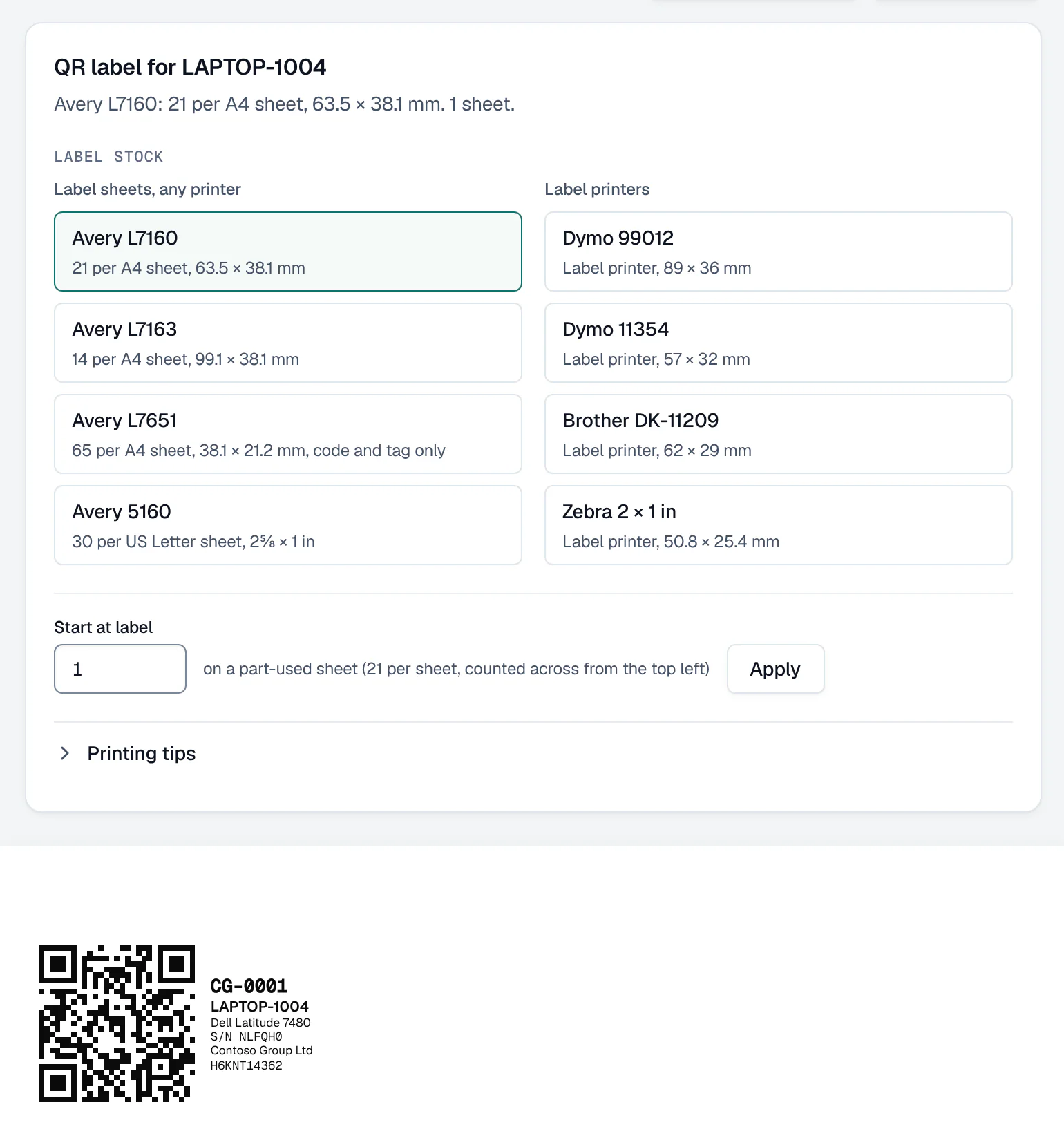
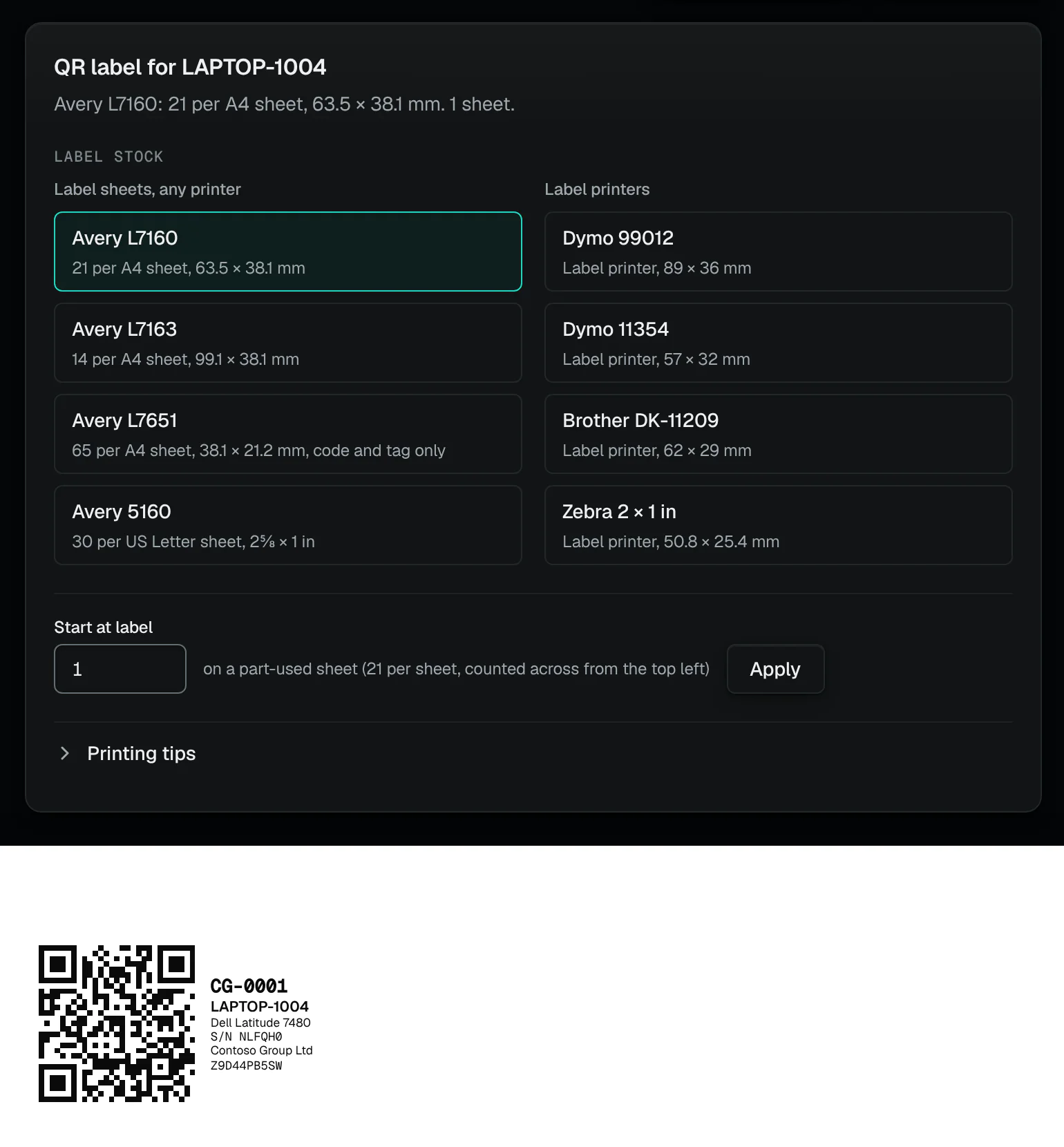
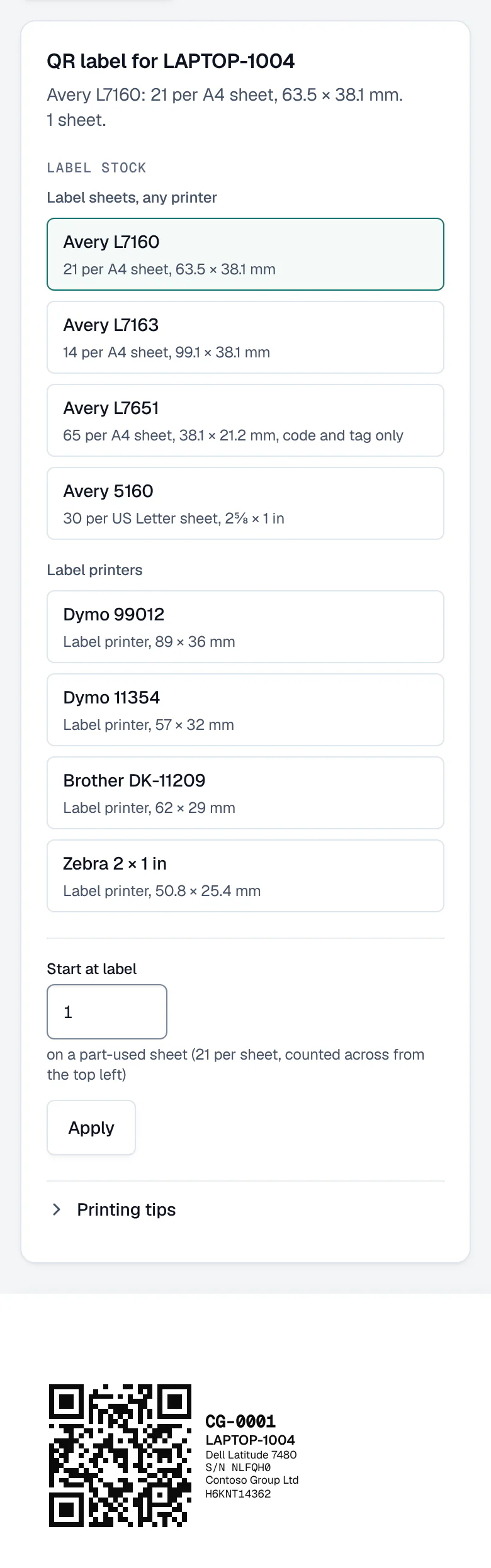
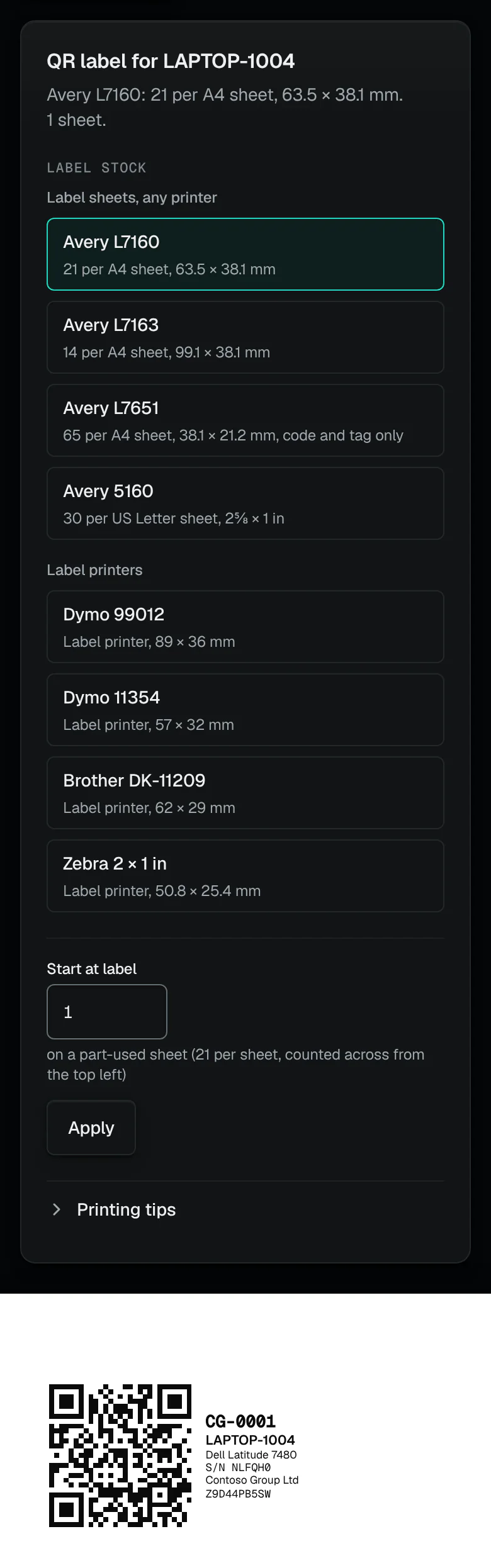
QR labels for the register. - Sheets or a label printer
- The label: QR code, tag and serial
Device changes
Device changes, and who signs each.
Each is a change with a dry run first; who signs each comes from the product’s own rules.
Device changes come with Automate
Lock device
Locks the screen; its owner unlocks it with their passcode. Phones, tablets and Macs: Intune can’t lock a Windows PC remotely.
One or two approvers, as set for the client
Retire device
Removes company data, apps and management; the user’s own data stays.
One or two approvers, as set for the client
Wipe device
Resets it to factory settings, with the device’s name typed, approved in the console only. At most 5 full wipes run a workspace an hour unless an Owner overrides.
Always two approvers
Lost or stolen device
From the person on People: signs them out everywhere, locks, retires or wipes the device you choose, and marks it Lost or stolen on the register.
Each step is its own change, dry-run and sent for approval at once
Sync and remind
Asks devices out of compliance to check in with Intune now, and can email each primary user, in your brand, to open Company Portal; at most one reminder a person a day.
The check-in: runs when a named person asks
Remove inactive end-of-life devices
Disables, or deletes, end-of-life devices not seen for the number of days you choose. Disabling can be undone.
Always two approvers
Apply the Intune device baseline
Encryption, firewall, antivirus, Windows Update and supported system versions, created in one change; rolling back deletes what it created.
One or two approvers, as set for the client
Back up local administrator passwords with Windows LAPS
A unique, rotating local administrator password on each Windows device, backed up to Entra ID.
One or two approvers, as set for the client
Move Windows devices to a supported release
Lets each Windows Update ring move its devices to a supported release; rolling back puts each ring back as it was.
One or two approvers, as set for the client
The lifecycle report
A device lifecycle report, section by section.
Built in Reports for one client, as PDF or Word; tick the sections and order them as the builder allows.
- Fleet at a glance
- The whole fleet, by support status and type.
- Replacement budget
- What replacing end-of-life devices costs at each budget, and what to buy.
- Replacement forecast
- Devices falling due each year, with the cost.
- Asset register
- Purchase and book value, warranty, and devices that need attention.
- Disposals
- Devices disposed of in the last twelve months, with how and the certificate.
- Devices to act on
- Each device at or near end of life, with its suggested replacement.
What it can’t do
- Not an RMM: there is no agent, no remote control and no network scanning.
- It doesn’t enrol or provision devices, or deploy apps to them.
- No patching beyond the change that moves Windows Update rings to a supported release.
- Only devices in Intune and Entra; it doesn’t add printers, monitors or other kit by hand.
- Warranty look-ups (Dell, Lenovo and HP) and RMM connections are in beta, and both only read.
- Replacement prices are estimates at indicative UK business prices, excluding VAT; it doesn’t order anything.
How we count
- Days before a warranty ends that the register says “ending soon”
- 90The asset register’s own setting
- Security checks
- 179Counted from the product’s catalogue of checks
ConfigCheckup
Connect one client. See which laptops are due.
Read-only towards your tenants, except the changes a person approves. Devices are read from Intune and Entra; a lock, a retire or a wipe runs only when a person approves it.
14 days of daily monitoring and alerts, every finding with its fix guide, and reports on up to 3 tenants, from your first connected tenant. No card. Then choose the plan that fits.