Read-only by default
Admin consent to read settings. Nothing is changed unless you grant write permission and approve each change.
Security assessment
Identity, email, devices, sharing and apps, checked with read-only consent, scored, and mapped to the frameworks your clients are audited on.
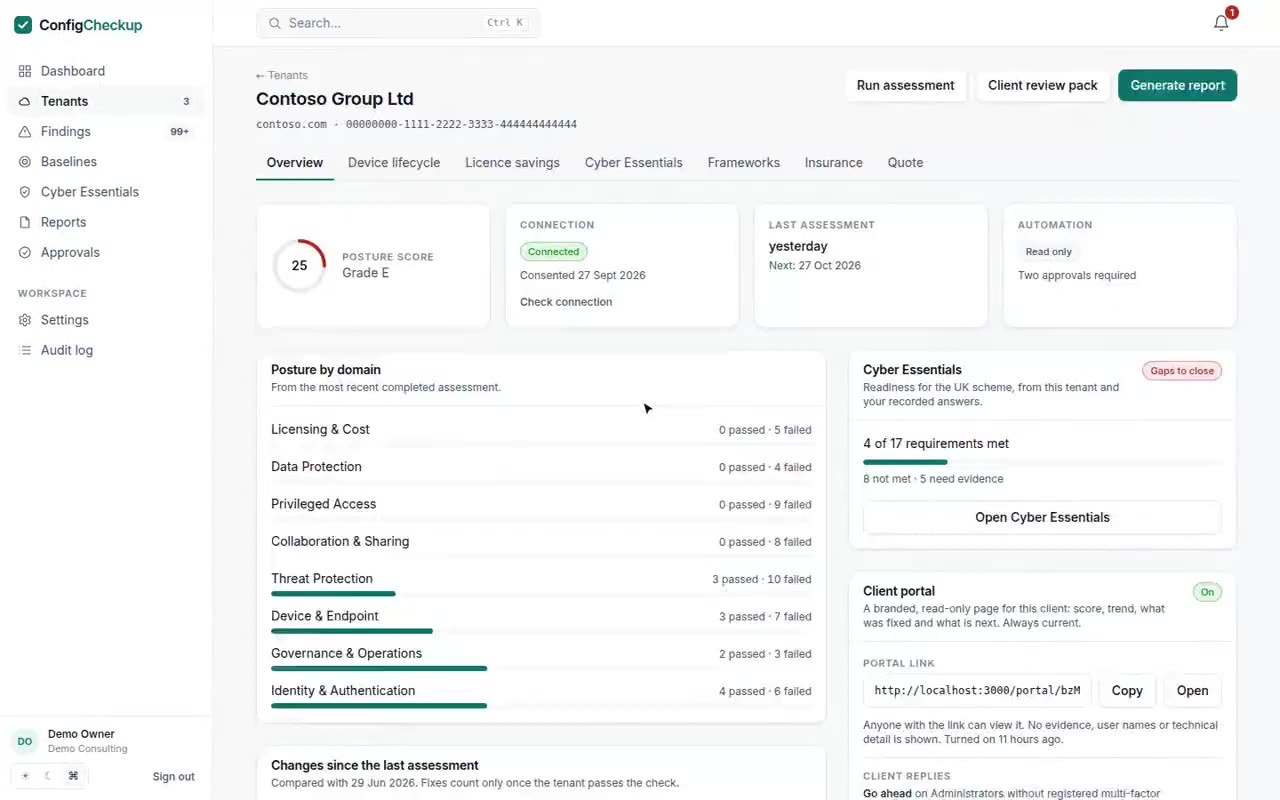
Admin consent to read settings. Nothing is changed unless you grant write permission and approve each change.
Findings across every tenant, by severity, with the evidence and how to fix each.
Each assessment is compared with the last, so a fix counts only once the tenant passes.
Readiness for Cyber Essentials, ISO 27001, NIS2, DORA, SOC 2 and more, control by control.
One admin consent per tenant, or import them all from Partner Center.
A few minutes per tenant. Anything that could not be read is named, never scored as a pass.
Fix, quote, report and track, from the same place.
Said plainly, so you know what you are buying.
Microsoft Graph permissions, granted by the client’s admin.
Directory.Read.AllPolicy.Read.AllAuditLog.Read.AllReports.Read.AllFourteen days, one tenant, no card. The figures come from your tenant, not from averages.