Copilot
Is it safe to switch on Copilot, and is anyone using it?
Copilot can find anything a person can already open. Check who can see what before rollout, then see who uses it and which seats sit idle.
Why this is hard today
Copilot can find anything a person can already open, so files shared too widely years ago can turn up in answers. After rollout, clients ask whether the seats they pay for are being used, and the answer is spread across Microsoft’s usage reports.
How ConfigCheckup solves it
Readiness, area by area
Who can see what, labels and data protection, the apps Copilot acts for and the AI tools people connected on their own, devices and audit, each ready, partly ready or not.Where to start
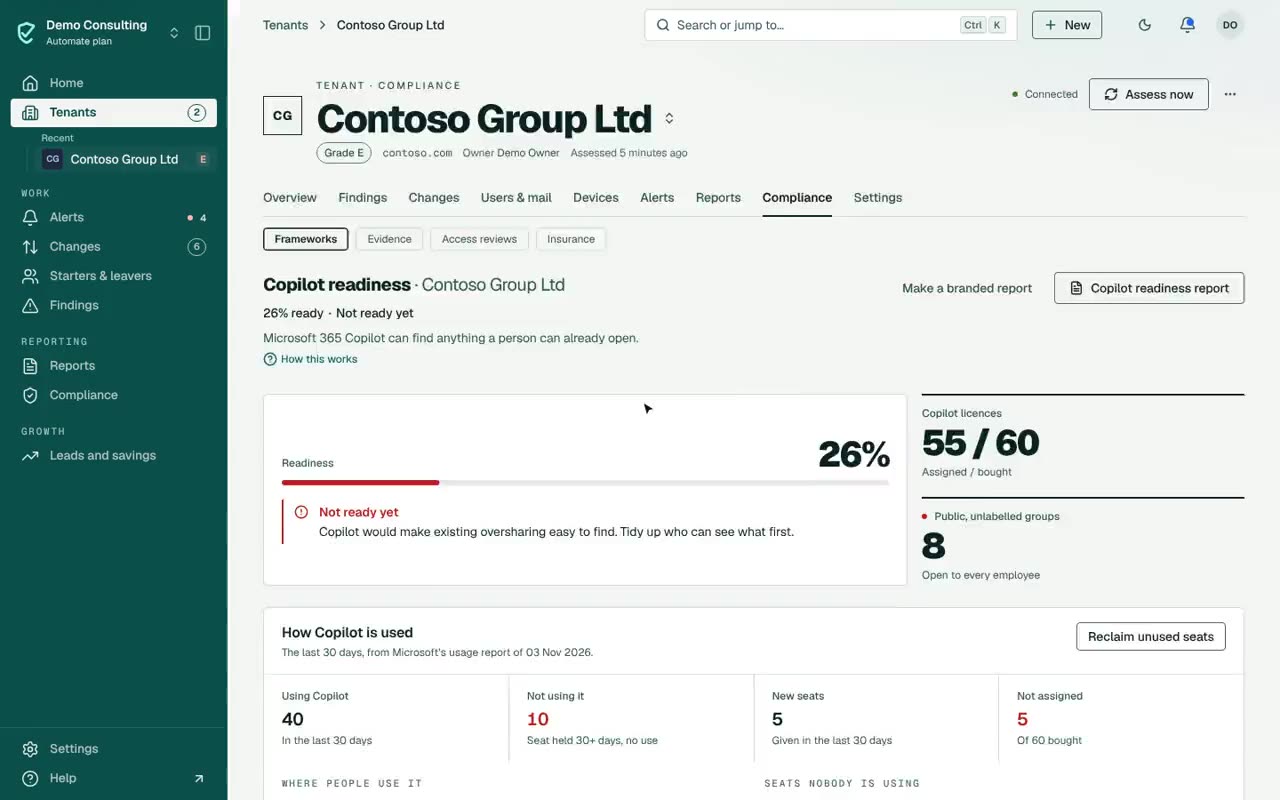
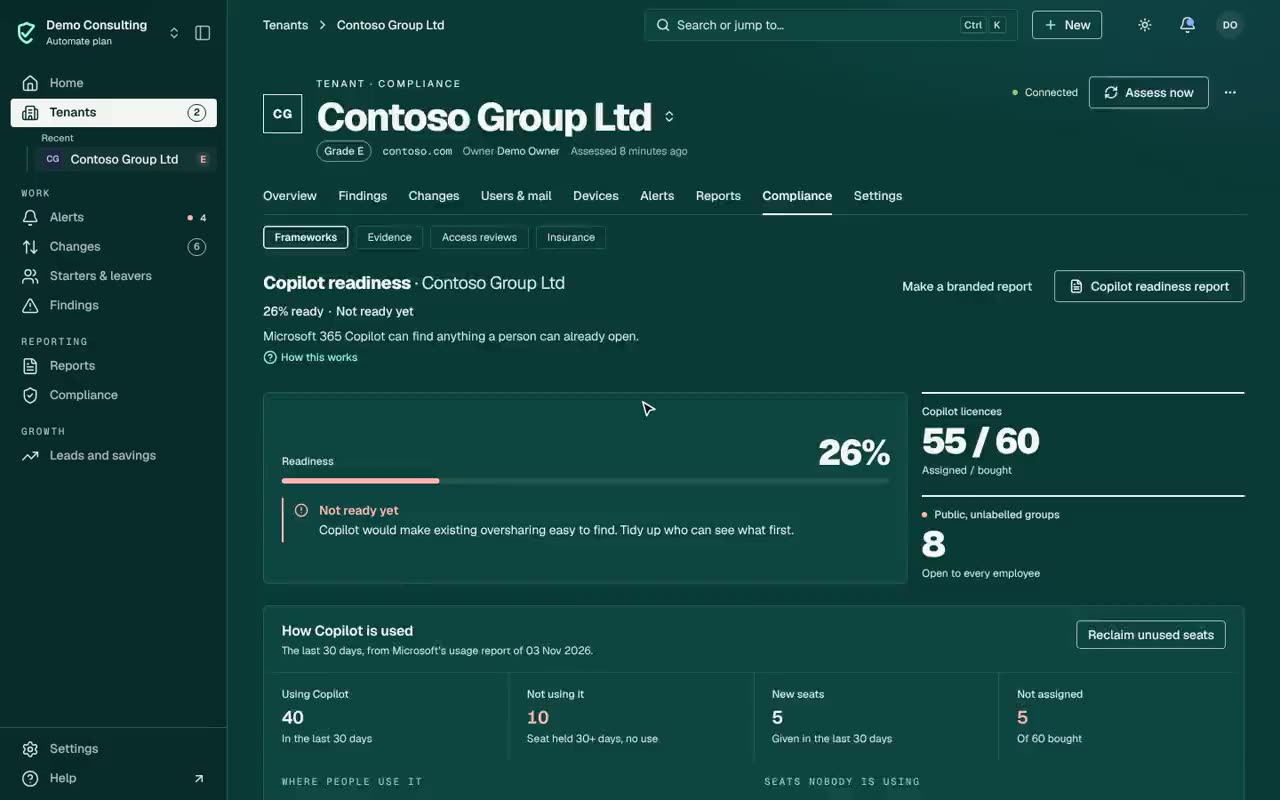
The largest public teams and groups with no sensitivity label: files every employee, and so Copilot for every employee, can read.Who uses it, and where
From Microsoft’s own usage report: people using Copilot in the last 30 days, and in which apps.Seats to reclaim
Seats unused for 30 days and seats never assigned, costed, and reclaimed through an approved change.
Assess
Readiness is judged from the same checks as the rest of the assessment, so the page and the findings never disagree.
Fix before rollout
Work through the steps most likely to surface in a Copilot answer first.
Track use
After rollout, each assessment shows who uses Copilot and which seats to move or reclaim.
Who uses Copilot, and the seats nobody opens
The Copilot page for the demo tenant: use per app from Microsoft’s usage report, and the seats nobody has used. Demo workspace.
Check it yourself.
- Readiness comes from the same checks as the rest of the assessment, so the Copilot page and the findings never disagree. Check it: Readiness comes from the same checks as the rest of the assessment, so the Copilot page and the findings never disagree.
- Usage comes from Microsoft’s own Copilot usage report: who used it, in which apps and when. Never prompts or answers.
- People given a seat recently are never counted as unused.
- Readiness needs no Copilot licence, so you can run it before the tenant buys.
What it can’t see
Said plainly, so you know what you are buying.
- Tenant, group and site settings are read, not the sharing on each file.
- If a tenant hides user names in its reports, usage cannot be matched to people. The page says how to turn names back on.
- Microsoft’s usage report can lag by a few days.
It reads settings and activity records, never content, with permissions your tenant’s admin grants. Every permission and role, and why
Questions.
Does it read Copilot prompts or responses?
No. It reads Microsoft’s usage report: who used Copilot, in which apps and when. Never what they asked or what it answered.
Is it useful before buying Copilot?
Yes. Readiness needs no Copilot licence; usage appears once seats are assigned.
Does it find other AI tools, such as ChatGPT?
Yes. A check lists AI tools people have connected to mail, files, calendars or meetings, such as ChatGPT, Claude and meeting note-takers, with what each can reach and whether an administrator approved it. They are found by name and publisher, so a tool it does not know is not listed.
Plans: Readiness and usage on every plan; reclaiming seats with Automate.
What each plan includesConfigCheckup
See it on your own tenants.
The findings and figures come from your tenant, not from averages.
14 days of daily monitoring and alerts, every finding with its fix guide, and reports on up to 3 tenants, from your first connected tenant. No card. Then choose the plan that fits.