Billed, not held
More seats on the invoice than the tenant has: a reduction or cancellation that never reached your distributor.
Billing check
Import your Pax8, TD SYNNEX, Giacom or Microsoft invoice as CSV and see, tenant by tenant, where billing and reality disagree.
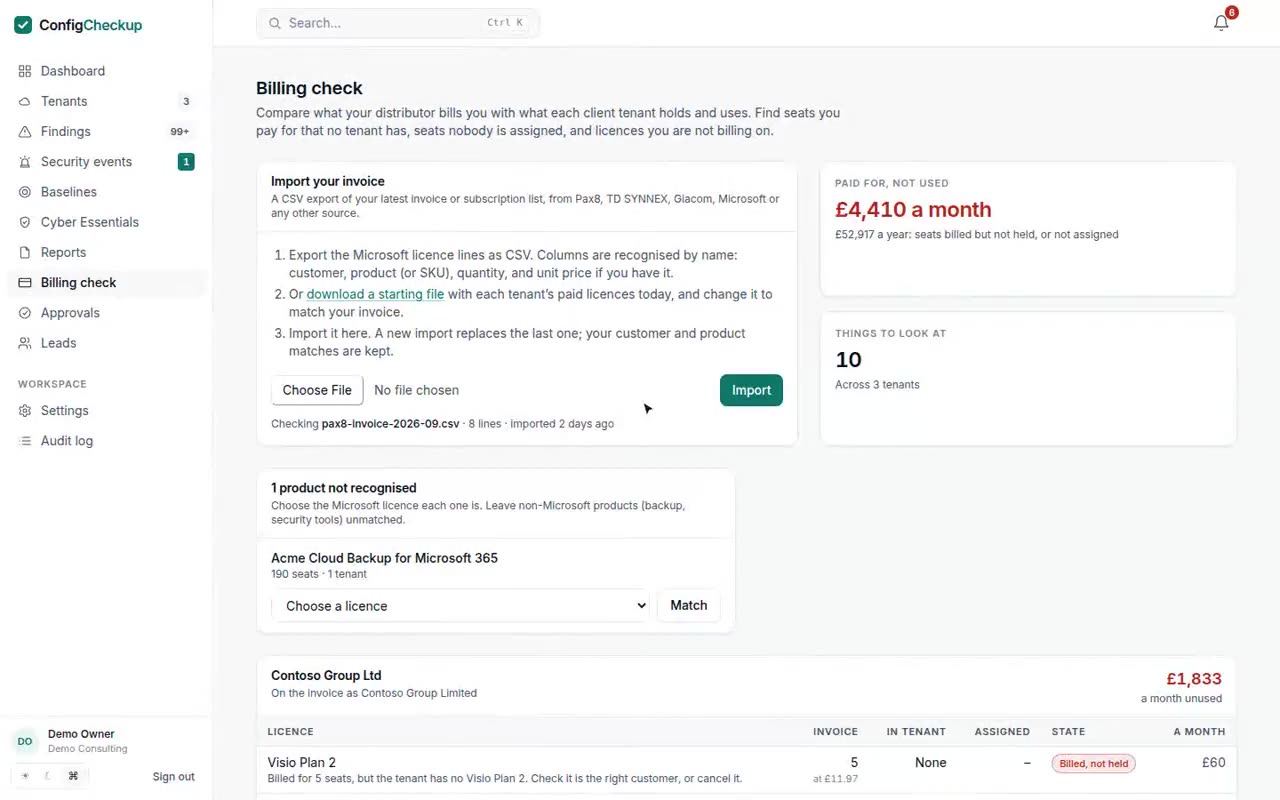
More seats on the invoice than the tenant has: a reduction or cancellation that never reached your distributor.
Seats bought and paid for that nobody has been given.
Paid seats a tenant holds that your invoice does not include: bought elsewhere, or not billed on.
Trials that will end or convert, with the date.
Any CSV with customer, product and quantity. Columns are recognised by name.
Customers are matched to tenants by name or domain, and products to licences. Match anything else once; it is remembered.
The biggest gaps first, each with what it costs a month.
Said plainly, so you know what you are buying.
Microsoft Graph permissions, granted by the client’s admin.
Organization.Read.AllDirectory.Read.AllFourteen days, one tenant, no card. The figures come from your tenant, not from averages.