What is backed up
Conditional Access policies, named locations, SharePoint and OneDrive sharing, user and guest permissions, authentication methods, security defaults and Intune compliance policies.
Settings backup
A daily copy of the settings that are hardest to rebuild. See exactly what changed and when, and put a policy back through an approved change.
Daily backups and restores on Growth and Scale.
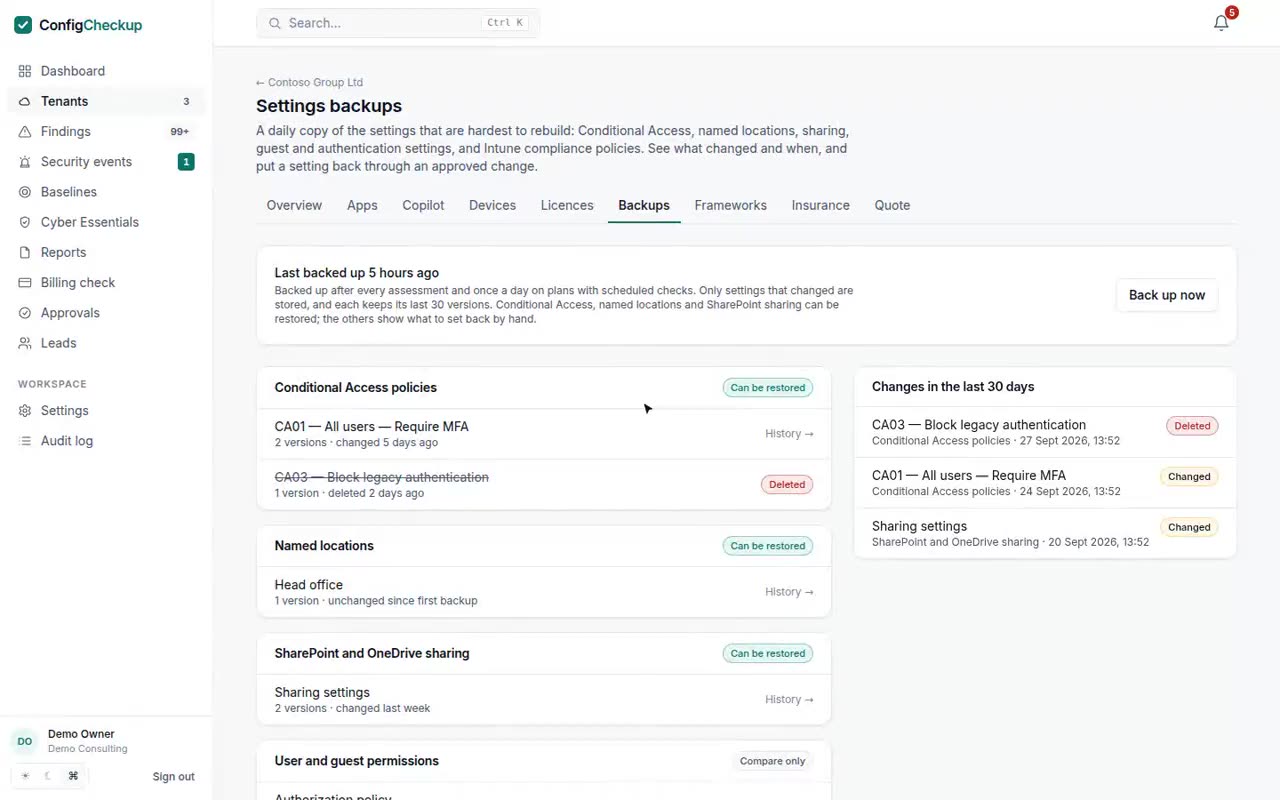
Conditional Access policies, named locations, SharePoint and OneDrive sharing, user and guest permissions, authentication methods, security defaults and Intune compliance policies.
An account excluded from MFA, a policy switched to report-only, sharing opened to anyone: shown with the old and new value and the date.
A deleted Conditional Access policy is created again from its last version.
A restore is a dry run, a second approver and a recorded way back, like every other change.
The backup uses the read permissions the assessment already has.
After every assessment, and every day on Growth and Scale. Only changes are stored, 30 versions per setting.
Pick the version, check the dry run, approve.
Said plainly, so you know what you are buying.
Microsoft Graph permissions, granted by the client’s admin.
Policy.Read.AllSharePointTenantSettings.Read.AllDeviceManagementConfiguration.Read.AllPolicy.ReadWrite.ConditionalAccess (restore)Fourteen days, one tenant, no card. The figures come from your tenant, not from averages.